Free SEO Keyword Tools UK: 7 No-Nonsense Picks That Won’t Nick Your Wallet in 2026
Print / Save as PDFInsider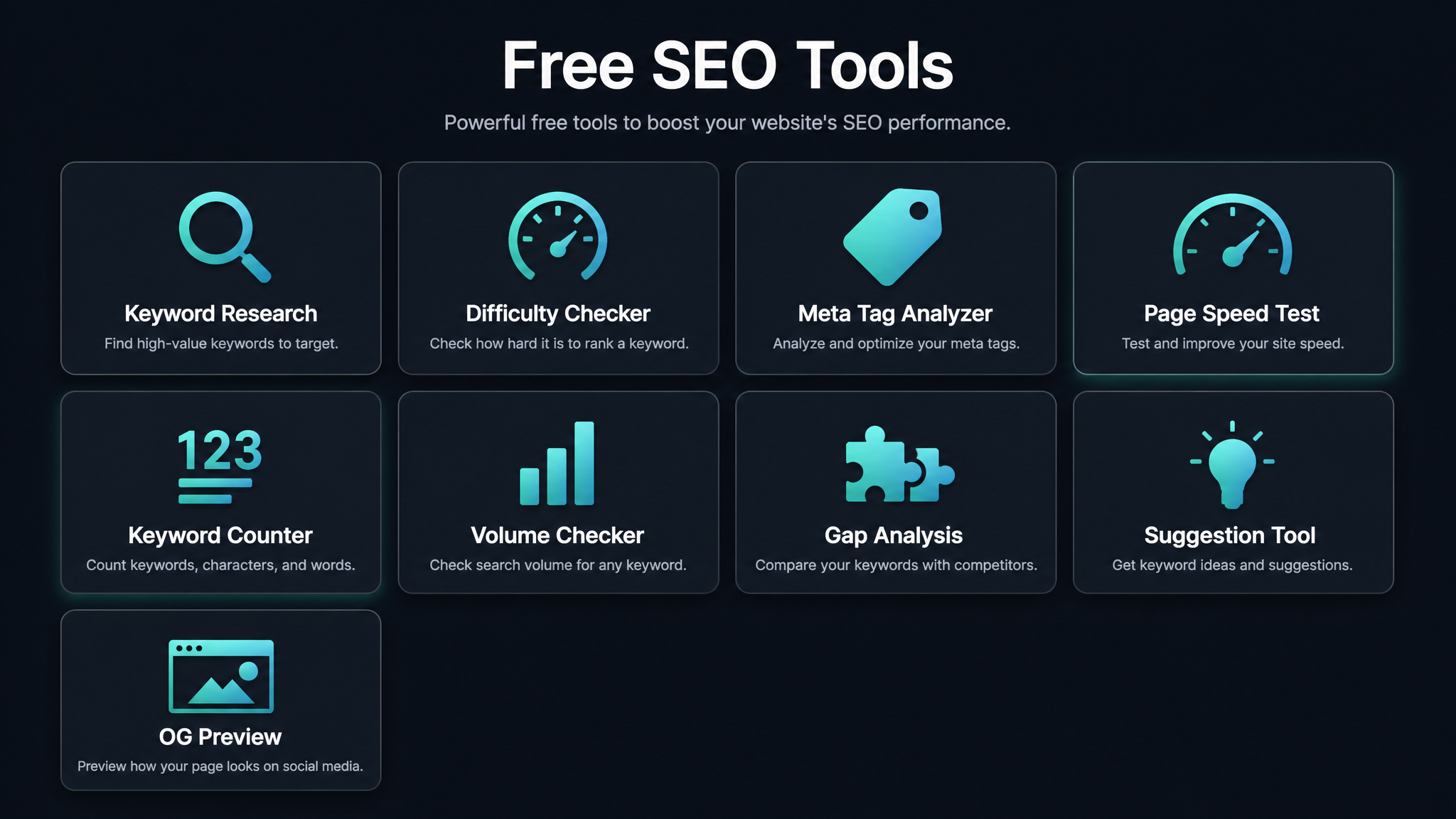
Free ebook: The Free SEO Stack
Keyword research without paying for Ahrefs — the complete guide. Read it online or download the PDF.
100% free · No spam · Unsubscribe any time
If you’ve spent any time on the hunt for the best free SEO keyword tools in the UK, you’ll know the drill: click, hope, and then... wham! Another paywall. It’s like the world’s worst game of snakes and ladders, only every ladder is actually a snake in disguise, asking for your credit card before you even get a sniff of a search volume number.
We’ve waded through the swamp of “free trials” to find the rare beasts that are truly free, genuinely useful for the UK (because let’s face it, American spelling isn’t going to help you rank in Hull), and don’t force you into a data dead-end after three searches. This isn’t a tired roll-call of tools you already ignore. It’s a sharp, worked comparison for British bloggers, businesses, and marketers who want real answers, not empty promises.
Table of Contents
Why Free Keyword Tools Still Matter in 2026
Let’s be blunt: the cost of a proper SEO suite these days is enough to make your accountant’s monocle drop. If you’re a UK startup or a side-hustler, dropping £100–£200 a month on Ahrefs or Semrush just to see if your niche has legs? That’s a big ask. Free tools are the training wheels for your keyword research bike—maybe not Tour de France gear, but perfect for learning to ride without crashing into debt.
Sure, you’re not getting laser-precise monthly search volumes. Free tools are more like a weather forecast: not exact, but good enough to decide whether to bring an umbrella (or write that blog post). They’re brilliant for sniffing out long-tail keywords, question phrases, and those cheeky gaps where you can slip ahead of bigger sites.
Worried AI is going to eat Google’s lunch? Here’s what most people miss: UK web traffic is still glued to Google, not the latest chatbot. Skipping keyword research in 2026 because "AI is the future" is like dodging the high street because Amazon exists—you’re leaving money (and clicks) on the table.
How We Tested the Best Free SEO Keyword Tools
Let’s not beat around the bush: we only included tools you can actually use for free, no credit card standover, no “free trial” sneakiness. We also gave any tool a proper grilling for UK relevance—if it’s just US data in a union jack costume, it’s out.
And, because we’re not here to waste your time, we checked all the numbers against paid benchmarks. You don’t want a keyword tool that’s “directional” in the same way a broken sat-nav is.
!A laptop displaying an analytics dashboard with real-time data tracking and analysis tools.
Photo by Atlantic Ambience on Pexels
We tested with three classic UK search types: buying terms (“buy running shoes UK”), informational queries (“how to fix a leaky tap”), and local needs (“plumber in Manchester”). If a tool wanted your card number for a ‘free’ look? It didn’t make the list. The seven below did.
The 7 Best Free SEO Keyword Tools for the UK Market
1. KeywordNumbers.com – The Swiss Army Knife of Free SEO Tools
You want genuinely free keyword data with UK search volumes? Step right up. KeywordNumbers.com is the real deal—no paywalls, no card details, no search limits. It’s basically a buffet for anyone hungry for keyword data, and you don’t even need to book a table.
Start with the Keyword Search Volume Tool: punch in your keyword, get monthly search numbers, trend graphs, and historical data from last week to five years back. All filtered by region, so you’ll know exactly what Brits are googling, not what’s trending in Boise.
But don’t stop there—the free SEO suite is like a full English breakfast compared to most tools’ dry toast:
Unlike SEMrush’s “everything and the kitchen sink” interfaces, or Google Trends’ cryptic charts, KeywordNumbers keeps it simple, powerful, and fully free. Use it for keyword research, tech fixes, and on-page wins—all without the usual faff.
2. Google Search Console – Easy Wins Hiding in Plain Sight
Question: Want to know the fastest way to grow your UK traffic? See what you’re already ranking for, then give it a nudge.
That’s where Google Search Console shines. Instead of chasing new keywords, it lets you discover the terms where you’re just outside the top 10—think of it as “low-hanging fruit radar.”
For Brits, the magic move is filtering by country: Performance → Countries → United Kingdom. Now you’re looking at what’s really bringing home the bacon. Focus on keywords sitting in positions 10–20, find those with the most impressions, and give those pages a little TLC—a sharper title, a fresh internal link. You’ll be surprised how fast you climb.
3. Google Keyword Planner – The PPC Data Backdoor
Here’s what most people miss: while Google Keyword Planner is built for advertisers, it’s still a cracking free SEO tool. It’s like sneaking into the VIP lounge through the fire exit. Sure, the volume data is in ranges (“1K–10K”), not laser-precise, but it’s better than flying blind.
Always set your location to United Kingdom before searching, unless you fancy optimising for Texan cowboys by mistake. Ignore the bid and competition columns—they’re for PPC, not SEO. The gold’s in the Keyword Ideas tab, especially for those offbeat, “why didn’t I think of that?” variants.
One small catch: if you’re not running active ad campaigns, you’ll only get bucketed numbers, not exact monthly volumes. But for rough demand checks, that’s usually enough.
4. AnswerThePublic – The Content Brainstorm Machine
Bet you didn’t realise: AnswerThePublic is basically a mind-reader for searchers. Feed it a seed keyword and it spits out questions, comparisons, and what-the-heck-are-they-asking phrases people are Googling right now.
Set it to English (UK) and country GB—this matters, because “holiday” means something very different in Croydon than in Colorado. The free version gives you a few searches a day, but even one solid seed term can fill your content calendar till Christmas.
Don’t expect search volumes—it’s about topic coverage, not forecasting traffic. Frequency shows as High/Medium/Low. Treat it as your brainstorming whiteboard, not your budget spreadsheet.
5. Ahrefs Keyword Generator (Free Version) – The Five-a-Day Competitor Peek
Ahrefs is the fancy gym you can’t quite justify paying for, but their Keyword Generator gives you a sneak peek through the window. Five keyword ideas per search, with UK-specific volumes and click data—no login needed.
Quality over quantity here: these aren’t random bungs, they’re cherry-picked from Ahrefs’ enormous crawl. Pro tip: enter a competitor’s homepage, not just a keyword, and see what they’re quietly ranking for. The free version limits your daily lookups, so save them for your closest rivals, not just curiosity.
6. Ubersuggest – The Freemium All-Rounder
If you want an all-in-one dashboard without the brain-melt, Ubersuggest has your back. The free plan gives you three searches a day—enough for a focused session if you’re not just faffing about.
Remember to set the country to GB up top, or you’ll get data that’s as American as a root beer float. Ubersuggest gives you volume, keyword ideas, and a basic SEO difficulty score (take that last one with a pinch of salt—it’s their own formula). You also get a basic site audit and backlink peek, which is handy if you’re juggling one website and a to-do list the length of your arm.
7. WordStream’s Free Keyword Tool – The Industry Insider
Here’s a pattern interrupt: WordStream’s free tool lets you slice your keyword list by 24 business verticals—think Finance, Home & Garden, Retail and beyond. Most free tools lump everyone together; WordStream lets you filter for your actual sector.
You can also filter by over 23 countries, including the UK, and it spits out a tidy CSV with volume and competition stats. Not the fanciest interface, but if you’re a solicitor, tradesperson, or niche retailer, this is the cheat code for finding sector-specific queries a generic tool will never show you.
What Free Tools Miss (And When to Upgrade)
Let’s not pretend free tools are the answer to everything. Consider them like a multi-tool at a picnic—brilliant for slicing cheese, not so much for carving a roast.
The biggest gap? Data accuracy. Most free tools use modelled or sampled data, not live clickstream gold. For content planning, that’s fine. If you’re about to sink £10k into a new product line or need to make a bulletproof business case, you’ll want the precision (and peace of mind) of a paid suite.
You’ll also miss out on snazzy extras: keyword clustering, long-term trend graphs, and SERP feature intel. Without those, you’ll be lumping keywords by hand, guessing which ones trigger featured snippets, and hoping trends haven’t tanked in the past year.
And then there’s the classic UK problem: lots of “global” free tools are basically US-centric under the bonnet. Even with a GB toggle, you’re sometimes just getting the American dataset with a bowler hat on. Always double-check your location settings, and cross-reference across two tools if decisions actually matter.
So, when’s it worth paying up? If you’re wrangling multiple sites, running both paid and organic search, or you want daily rank tracking without pulling your hair out, the £80–£200 per month for pro tools is a no-brainer. Until then, this free stack will do the job nicely.
How to Build a Free Keyword Research Workflow (UK Edition)
Having a tool belt is one thing. Knowing when to whip out the hammer? That’s where the magic happens. Here’s a five-step, zero-cost workflow tailored for UK sites:
Frequently Asked Questions About Free SEO Keyword Tools
Are free keyword tools accurate enough for SEO?
For planning and picking topics? Absolutely. The data’s directional—think of it like a sat-nav in traffic: you’ll get close enough, even if you’re not parking right outside the door. But if you need pinpoint search volumes (eg, for a business forecast), it’s time to pony up for a paid tool.
Can I use free tools for local SEO in the UK?
Yes, but only if you actually set the location filters! In Google Keyword Planner and WordStream, always switch to “United Kingdom” or your exact city. Otherwise, you’ll be optimising for people who’ll never actually buy from you.
Do free tools work for YouTube keyword research?
Mostly, no. YouTube’s its own beast. The best free hack? Type your topic into the YouTube search bar and jot down autocomplete suggestions. Or, if you’ve got a few credits on Keywords Everywhere, it’ll overlay search volumes right in YouTube search results.
Conclusion
You don’t have to bankrupt yourself to get 80% of the way to a great UK keyword strategy. Start with Google Search Console and AnswerThePublic to see what you already rank for and what your audience actually wants to read. Add Ahrefs Keyword Generator and Ubersuggest when you’re after more competitive insights. When free tools start costing you more time than they save, or you’re ready to scale, you’ll know it’s time to go pro.
Bookmark this guide and pop back whenever the tool landscape shifts—2026’s best free toolkit might change, but the basics won’t.
Free tools to put this into practice
Reading’s all well and good, but actually testing your pages is where the rubber meets the road. Here are the free KeywordNumbers tools to get hands-on:
Every free SEO tool on KeywordNumbers is truly free—no sign-up, no “gotchas”, just results.
Free ebook: The Free SEO Stack
Keyword research without paying for Ahrefs — the complete guide. Read it online or download the PDF.
- Which free tools replace Ahrefs, SEMrush & Moz
- Step-by-step keyword research workflow
- How to find content gaps without paying a penny
- The exact stack KeywordNumbers is built on
100% free · No spam · Unsubscribe any time
Ready to research your keywords?
Try our free keyword tools — no signup required.