Best Page Speed Analyzer Tools for UK Sites: The 2026 Unclog-Your-Website Guide
Print / Save as PDFInsider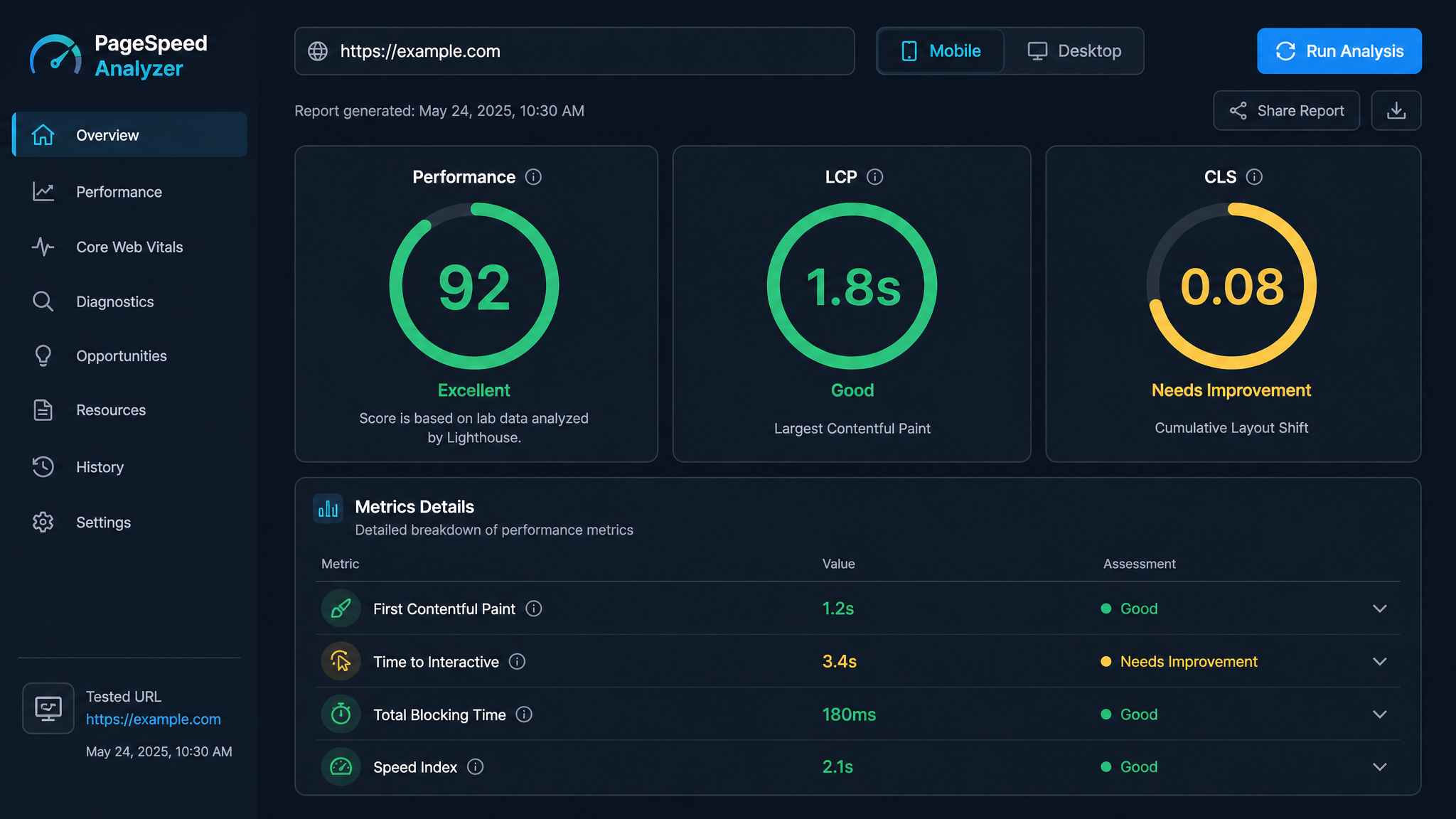
Free ebook: The Free SEO Stack
Keyword research without paying for Ahrefs — the complete guide. Read it online or download the PDF.
100% free · No spam · Unsubscribe any time
If you’ve ever watched your website crawl along like the M25 at rush hour, you already know: page speed isn’t just a technical detail, it’s the difference between a full shopping basket and a bounced visitor. But with the web awash in page speed analyzer tools, which one gets you out of the slow lane—and which just gives you another dashboard to ignore? Stick with this guide, and you’ll not only pick the right tool, but actually understand the numbers (so you can turn that speed score into real money, not just a smug spreadsheet entry). We’ll pit the giants—Google PageSpeed Insights, GTmetrix, WebPageTest—head-to-head, break down exactly what Google wants from UK sites in 2026, and call out the traps that catch Blighty’s site owners, from wobbly mobile networks to bargain-bin hosting.
Table of Contents
What Is a Page Speed Analyzer and Why Does It Matter in 2026?
Let’s start with the basics—page speed analyzers are like MOTs for your website. You punch in a URL, it gives you a full diagnostic: how fast does it load, when does it actually become usable, and where are you leaking performance points? In 2026, this isn’t just some digital navel-gazing. With Google’s ever-tightening grip on user experience signals (hello, Interaction to Next Paint replacing First Input Delay), slow sites are getting shunted down the rankings faster than you can say “404.”
And in the UK, speed is the silent dealbreaker. 87% of adults are glued to their mobiles, and with mobile commerce hoovering up more of the retail pie each year, a slow site is basically an open invitation for your customers to try a competitor. A single second’s delay? Say goodbye to up to 20% of your conversions. Brits have no patience for lag—they expect instant, and a page speed analyzer is how you turn that vague “something feels off” into a concrete to-do list.
The Top Page Speed Analyzers Dominating the UK SERP
If you’ve Googled this, your search results are a parade of tool landing pages, all promising to solve your website woes. But, much like supermarket own-brand biscuits, they’re not all created equal. Here’s the no-nonsense take on the main players:
Google PageSpeed Insights (The Benchmark Everyone Quotes)
PageSpeed Insights (pagespeed.web.dev) is the Swiss Army knife in your SEO drawer: free, dead simple, and “official” enough to make your fixes count for Google ranking. You get two types of data—lab (robotic simulation) and field (real Chrome users’ experience, including your fellow Londoners and Mancunians). It’s brilliant for a quick Core Web Vitals check: pass/fail, no faff. The downside? Its advice can feel about as specific as “eat healthier”—telling you to "reduce unused JavaScript" without naming the actual script responsible. Think of it as the doctor who says "lose weight" but won’t tell you to skip the late-night kebab.
GTmetrix (The Developer’s Workhorse)
GTmetrix has crunched through 1.4 billion+ pages, so you know it’s not just for hobbyists. The star feature? The waterfall chart—a timeline of every single thing loading, with timings for DNS, connections, and the all-important time to first byte. Perfect for spotting whether it’s your server or your images holding things up. But here’s the catch: by default, it tests from Canada or the US, which is about as useful for UK speed as measuring your commute from Toronto. Want a London test server? You’ll need to pony up for a paid plan.
WebPageTest (The Geek’s Playground)
WebPageTest is what you get if you cross a Swiss Army knife with a Formula 1 pit crew. Created by Patrick Meenan and now part of Catchpoint, it’s open-source, endlessly tweakable, and loaded with pro features: script multi-step user journeys, throttle to simulate dodgy mobile signals, and watch real filmstrips of your site rendering second by second. If you want to know why your site crawls on a train trip from Edinburgh to Newcastle, this is the tool. Bonus: enterprise users get session replay, real user monitoring, and AI dashboards (through Catchpoint’s paid add-ons).
SpeedVitals and DebugBear (The Monitoring Pros)
SpeedVitals lets you check your site from 30+ locations (London, New York, Sydney—passport not required). DebugBear, meanwhile, is built for ongoing vigilance: it’ll monitor your Core Web Vitals and ping you if a code update torpedoes performance. For UK e-commerce, this isn’t a nice-to-have; it’s the only way to catch a lazily introduced bug before it costs you a weekend of sales.
How to Choose the Right Page Speed Analyzer for Your Needs
Let’s be real: the best tool is the one that answers the question you actually have. So, what’s your angle?
For a Quick Health Check (Transactional Intent)
Just want a speedy diagnosis? Start with PageSpeed Insights—it gives you the Google score and tells you if you’re failing Core Web Vitals. If it flags something but doesn’t explain the culprit, GTmetrix’s waterfall chart will point the finger, whether it’s a lumbering image or a third-party script acting like a digital traffic warden.
For Ongoing Monitoring (Commercial Investigation Intent)
If your site actually earns its keep, a one-off test is like checking the weather once and assuming it’ll never rain again. Set up DebugBear or SpeedVitals to run regular tests from UK locations and send you an alert if things go south—especially after the marketing team decides to "optimise" something on Friday afternoon.
For Deep Technical Debugging (Developer Intent)
Got a gnarly, mysterious speed issue? WebPageTest is your best mate. Script the user journey (add to basket, shuffle to checkout), throttle the connection to simulate 4G in rural Devon, and use the filmstrip view to catch that moment when the hero image arrives—or doesn’t. You’ll go from "site feels slow" to a developer ticket with step-by-step evidence, no guesswork required.
Key Metrics Every UK Website Owner Must Understand
Let’s not mince words: most of the numbers in these reports are just noise. These four, though, are the main event:
Common UK-Specific Page Speed Pitfalls (And How to Fix Them)
Spotting the same old problems on UK sites? Join the club. Here’s the usual rogues’ gallery—and how to send them packing:
The Hidden Gaps: What the Top Tools Don’t Tell You
Here’s what most people miss: none of these tools show you where you stand versus your actual competitors. You’ll get a score, but is a 65 good or a car crash for your industry? A travel aggregator and a plumber’s homepage are apples and oranges, but the tools treat them the same.
They’re also a bit front-end obsessed. Backend issues (server logs, database queries, CDN mischief) often go under the radar. If your Time to First Byte is glacial, the tool might just tell you to compress your images, not check your hosting setup.
And—biggie—none of the tools connect speed to revenue. They’ll tell you LCP is 3.2 seconds, but not whether trimming that to 2.7 will net you an extra £2k a month. Only DeployHQ’s PageSpeed tool tries to offer AI-driven, stack-specific advice. The rest? Generic guidance that may or may not fit your setup.
Frequently Asked Questions About Page Speed Analyzers
For lab tests, yes—it’s solid. The real-user (field) data section is as close as you’ll get to how actual visitors experience your site, though very low-traffic pages might not have enough data for a reliable readout.
90+ is generally considered top-drawer. But don’t get hung up on the headline number: what matters is whether you’re passing all three Core Web Vitals. A site with a 78 that aces the vitals is in better shape than a 92 with a dodgy INP.
Absolutely. PageSpeed Insights, GTmetrix, WebPageTest—all have robust free versions. If you want more exotic locations, higher test frequency, or advanced scripting, you’ll be looking at paid plans.
Every time you push a major update—new theme, new plugin, chunky content changes. For ongoing peace of mind, set up a weekly automated test from a UK server. That way, you’ll catch slowdowns before they become a customer service nightmare.
There’s more where this came from: check out our free SEO tools, including a page speed testing tool that plays nice with all these third-party analysers.
Conclusion: Turn Your Speed Score into Real Results
A page speed analyzer is like a set of bathroom scales—it’s only useful if you actually act on the results. Start with PageSpeed Insights to get your baseline (and see if Google’s giving you a gold star or a red card). Dig deeper with WebPageTest when you need to troubleshoot the specifics—especially for UK mobile users. If your livelihood depends on your site, set up ongoing monitoring with DebugBear or SpeedVitals. That way, no nasty surprise drags your conversions down.
Bookmark this guide, test your site now, and make page speed a regular pit stop in your maintenance routine. Your reward? Happier users, better rankings, and a site that leaves the competition in the digital dust.
Free tools to put this into practice
Reading is one thing — testing your own pages is what moves the needle. Here are the free KeywordNumbers tools that pair best with this guide:
Every one of our free SEO tools is genuinely free to use, with no sign-up required.
Free ebook: The Free SEO Stack
Keyword research without paying for Ahrefs — the complete guide. Read it online or download the PDF.
- Which free tools replace Ahrefs, SEMrush & Moz
- Step-by-step keyword research workflow
- How to find content gaps without paying a penny
- The exact stack KeywordNumbers is built on
100% free · No spam · Unsubscribe any time
Ready to research your keywords?
Try our free keyword tools — no signup required.