Character Counter Tool: The Secret Weapon for Writers Who Hate Surprises
Print / Save as PDFInsider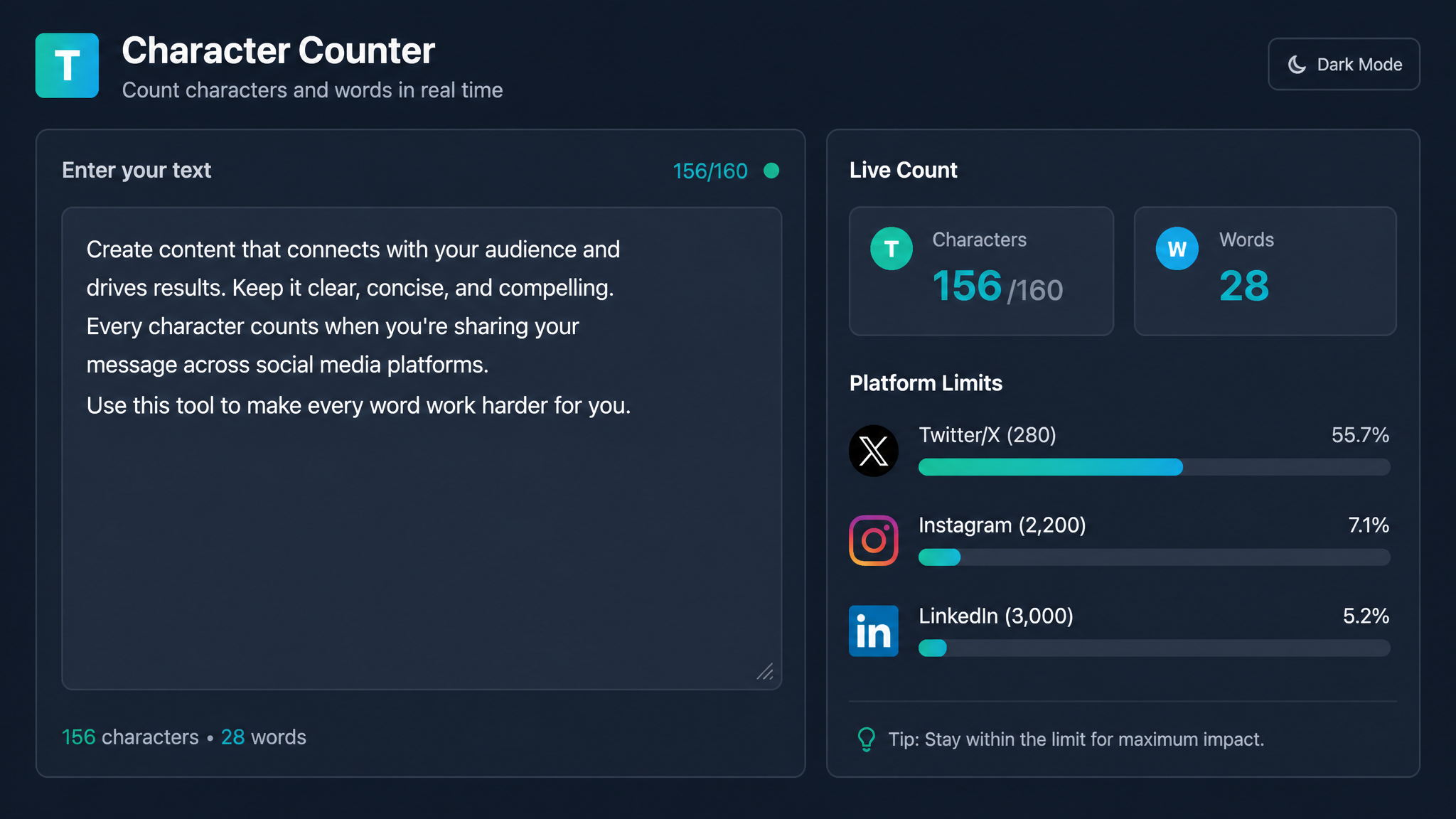
Free ebook: The Free SEO Stack
Keyword research without paying for Ahrefs — the complete guide. Read it online or download the PDF.
100% free · No spam · Unsubscribe any time
Ever written a killer headline, only to see Google slice it in half like a dodgy haircut? Or tried to craft a tweet, but Twitter tells you it’s 12 characters too long? That’s where a character counter tool comes in—a measuring cup for your writing, making sure your words fit just right.
In this guide, you’ll learn exactly why a character counter tool isn’t just a nice-to-have, but a must-have for content creators, SEOs, marketers, and anyone who’s ever squinted at a word limit. We’ll break down the difference between character and word counters, show you when to use each, and reveal how to sidestep those embarrassing cut-offs for good.
Why You Need a Character Counter Tool (and Not Just for Tweets)
Bet you didn’t realise just how many places character limits crop up. Here’s a quick hit list:
A character counter tool is your digital tape measure. It tells you exactly when you’ve hit the sweet spot—without the need for guesswork or frantic trimming.
Looking for a quick, no-fuss way to check your content? Try our character counter tool for instant results.
Character Counter vs Word Counter: What’s the Difference (and Why Should You Care)?
Let’s settle this: a word counter is like your chef’s knife—perfect for chunky jobs like hitting a blog’s 1,000-word target. A character counter? That’s your paring knife. Finer, more precise. Ideal for jobs where every single space and comma counts.
Here’s a side-by-side look:
| Feature | Word Counter | Character Counter |
|---|---|---|
| Counts | Words only | Every letter, space, and symbol |
| Best for | Blog posts, essays | Meta titles, tweets, ad headlines |
| Typical limits | 300, 1,000, 2,000+ | 60, 120, 280, 155 |
So, if you’re optimising for Google’s meta title (max 60 characters), that exclamation mark might just tip you over the edge.
Real-World Example: Meta Title Meltdown
Let’s say you want a meta title for your new blog post:
"10 Proven Ways to Boost Your SEO Rankings in 2024 (With Real Data)"
Let’s count:
Perfect, right on the nose—assuming you’re counting in metric or imperial, 60 is still 60, no conversion needed (character limits are gloriously universal).
But let’s see what happens if you add just a couple more words:
"10 Proven Ways to Dramatically Boost Your SEO Rankings in 2024 (With Real Data)"
Now you’re at 72 characters. That’s 12 over Google’s limit. You wouldn’t try to fit 1.2 litres into a 1-litre jug; don’t try to squeeze 72 characters into a 60-character slot.
Want to check your own titles? Our character counter tool for meta titles makes it instant—no more guessing or manual counting.
When to Reach for a Character Counter (and When to Use a Word Counter)
Here’s what most people miss: not every length issue is solved by chopping paragraphs. Sometimes it’s about swapping out longer words or trimming spaces. Here’s when to use each tool:
For all those character-capped moments, bookmark the KeywordNumbers character counter—it’s the quickest way to avoid awkward cut-offs.
Practical Tips: Beating the Limit Without Losing Meaning
Trimmed off mid-sentence? Here’s how to keep your message (and SEO) intact:
Think of it like packing a suitcase for a budget airline: if it doesn’t absolutely need to be there, leave it out.
Questions people are actually asking
How many character counter tools are there?
There are dozens of character counter tools online, ranging from basic to feature-packed. Some, like our KeywordNumbers character counter, are quick, free, and no-nonsense. Others might include extra stats or integrations, but the core function—counting every character, space, and symbol—is the same.
What character counters noli in forsaken?
If you’re talking about the video game Destiny 2: Forsaken, “noli” is a reference to certain character counters or buffs in the game. In the context of writing tools, though, it’s not a standard term. If you meant something else, let us know—otherwise, for all writing and SEO needs, stick with a classic web-based character counter.
Is there a difference between a character counter and a word counter?
Absolutely. A word counter tallies up individual words. A character counter tracks every letter, number, symbol, and space—so it’s much more precise for tasks with tight limits.
Why does Google cut off my meta title or description?
Because Google displays meta titles up to about 60 characters, and descriptions up to 155–160. Anything longer gets lopped off with an ellipsis (...). To prevent this, always check with a character counter before publishing.
Can I use a character counter tool for social media posts?
Yes! Social media platforms like Twitter/X have strict character caps (280 for tweets, for example). A character counter tool helps you fit your message perfectly, so nothing gets cut off mid-joke (tragedy).
Do spaces and punctuation count as characters?
Yes, they do. Every space, comma, exclamation mark, and emoji counts as a character in almost all counters and most platform limits. That’s why a character counter tool is crucial for accuracy.
Are online character counter tools accurate?
The reputable ones are. They count exactly what’s in your text, including spaces and special characters. Always double-check with a reliable counter, especially if you’re drafting for a platform with strict limits.
Conclusion: Don’t Let a Number Trip Up Your Next Headline
A character counter tool is the humble measuring cup that keeps your writing recipe from overflowing. Whether you’re an SEO pro, a copywriter, or just someone who likes their tweets tidy, counting characters is the secret to fitting every message exactly where it belongs.
Ready to banish truncated titles and awkward cut-offs? Give our character counter tool a spin and see how much smoother your content process gets.
Free tools to put this into practice
Reading is one thing — testing your own pages is what moves the needle. Here are the free KeywordNumbers tools that pair best with this guide:
Every one of our free SEO tools is genuinely free to use, with no sign-up required.
Free ebook: The Free SEO Stack
Keyword research without paying for Ahrefs — the complete guide. Read it online or download the PDF.
- Which free tools replace Ahrefs, SEMrush & Moz
- Step-by-step keyword research workflow
- How to find content gaps without paying a penny
- The exact stack KeywordNumbers is built on
100% free · No spam · Unsubscribe any time
Ready to research your keywords?
Try our free keyword tools — no signup required.