Compare Internet Speed Tools: Stop Guessing, Start Getting What You Pay For
Print / Save as PDFInsider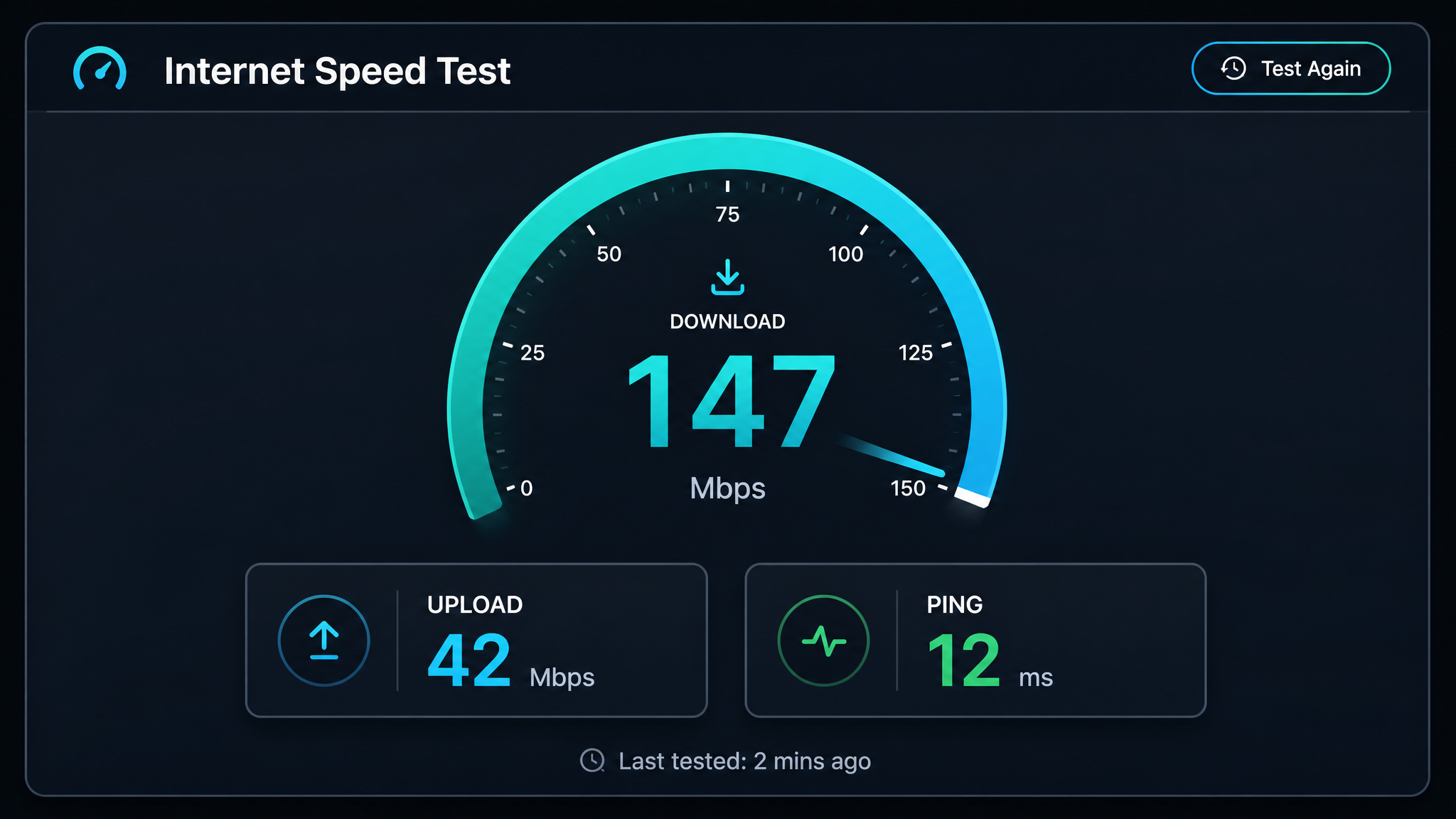
Free ebook: The Free SEO Stack
Keyword research without paying for Ahrefs — the complete guide. Read it online or download the PDF.
100% free · No spam · Unsubscribe any time
Let’s be honest: relying on your ISP’s speed claims is like trusting a gym advert that promises abs in a week. If you want to know your actual internet speed — for streaming, gaming, remote work, or simply making sure you’re not being short-changed — you need the right internet speed tool. But with a buffet of options out there, how do you pick, and how do you know which numbers actually matter? Grab your virtual cuppa: here’s how to make sense of internet speed tests (and finally settle that housemate argument about who’s hogging the bandwidth).
Why Internet Speed Actually Matters (Hint: Not Just for Gamers)
Ever tried streaming a film only for it to buffer every ten seconds? Or watched yourself freeze mid-sentence on Zoom, mouth open, eyes half-shut? That’s your internet speed giving up the ghost. Your provider might boast about lightning-fast connections, but in the real world, speeds can nosedive thanks to network congestion, ageing routers, or even just the neighbours’ 7pm Netflix binge. It’s not just about numbers — it's about making sure your connection can keep up with your life.
What Do Internet Speed Tools Actually Measure?
Here’s where it gets a bit science-y — but stick with me. Most speed test tools are basically the tape measure for your digital plumbing. They focus on three main metrics:
Some tools add bells and whistles: jitter (how jumpy your connection is), packet loss (lost data packets, a bit like lost socks in the wash), and the option to display speeds in either metric (Mbps) or imperial (MB/s) units. All handy if you’re chasing precision.
Top Internet Speed Testing Tools Compared (So You Don’t Have To)
Not all tools are born equal. Here’s a quick side-by-side — like a Top Trumps battle, but for internet speed tests:
| Tool | Free? | What It Measures | Standout Features |
|---|---|---|---|
| Speedtest.net | Yes | Download, Upload, Ping | Mobile apps, keeps your test history |
| Fast.com | Yes | Download only | Clean, Netflix-powered, zero fuss |
| Google Speed Test | Yes | Download, Upload, Ping | Found right in search, ultra-minimal UI |
| SpeedOf.Me | Yes | Download, Upload, Ping | HTML5 (so works on mobile nicely) |
| KeywordNumbers Internet Speed Tool | Yes | Download, Upload, Ping, Jitter | Extra analytics, exportable results |
How to Actually Compare Internet Speeds: A Step-By-Step Guide
Here’s what most people get wrong: they run one test, once, on their phone from bed and call it ‘research’. Want useful, real-world numbers? Do this:
Worked Example: Putting the Numbers to Work
Let’s say you’re weighing up if your broadband deal is worth the monthly grumble. You run three different tools and land these download speeds:
Time to convert them to megabytes per second (MB/s):
If you prefer imperial units, 1 MB/s is roughly 0.95 MiB/s (mebibytes). For UK, US, Canada, Australia, or Europe, these numbers are directly comparable — just double-check you’re not mixing up your units. Otherwise, it’s like comparing the speed of a car to the volume of a swimming pool.
What Makes a Speed Tool Actually Trustworthy?
Here’s the bit most speed test roundups skip:
Which Internet Speed Tool Should You Use? (It Depends…)
Questions People Are Actually Asking
How does my internet speed compare?
To see how your speed stacks up, run a test and compare it to what your provider promises (and what’s typical in your area). Don’t just trust one tool — use a few, and expect real-world speeds to be a touch lower than the glossy adverts suggest.
How to compare internet speeds?
Test the same connection with different tools, ideally at the same time and under the same conditions. Average out the results, convert the units if needed, and compare to your plan’s advertised speeds. Look for patterns, not one-off spikes.
Are internet speed tests accurate?
Generally, yes — at least for a ballpark figure. But factors like server location, network congestion, and your device can all tip the scales. For the most reliable reading, plug in via Ethernet and shut down those background downloads.
Does it matter which speed test I use?
Absolutely. Different tools use different servers and methods, so results will vary slightly. Think of it like getting a second opinion from another doctor — it gives you a more honest picture.
What is a good internet speed?
It depends on your needs. For HD streaming and video calls, 25 Mbps (about 3.1 MB/s) usually does the trick. If you’re gaming or have a house full of streamers, 50 Mbps (6.25 MB/s) or more is a safer bet. Always check what your provider recommends for your setup.
Why do some tools show Mbps and others MB/s?
Because tech loves to keep things confusing. Mbps (megabits per second) is standard for networks, while MB/s (megabytes per second) is what you’ll see for file sizes. 1 MB/s = 8 Mbps. Always compare like with like.
Can I improve my internet speed after testing?
Yes, sometimes quicker than you’d think. Try sitting closer to your router, using a wired connection, updating your router firmware, or (if all else fails) ring up your provider and ask them to work their magic.
Conclusion
Comparing internet speed tools isn’t just for the overly cautious — it’s how you get real, actionable insights about what your connection is truly delivering. For the complete picture (with extras like jitter and exportable results), try the KeywordNumbers Internet Speed Tool. Test regularly, compare notes, and if your provider isn’t keeping pace, don’t be shy about calling them out. You’re paying for it, after all.
Free tools to put this into practice
Reading is one thing — testing your own pages is what moves the needle. Here are the free KeywordNumbers tools that pair best with this guide:
Every one of our free SEO tools is genuinely free to use, with no sign-up required.
Free ebook: The Free SEO Stack
Keyword research without paying for Ahrefs — the complete guide. Read it online or download the PDF.
- Which free tools replace Ahrefs, SEMrush & Moz
- Step-by-step keyword research workflow
- How to find content gaps without paying a penny
- The exact stack KeywordNumbers is built on
100% free · No spam · Unsubscribe any time
Ready to research your keywords?
Try our free keyword tools — no signup required.