How to Analyse Website Load Time: The Espresso Shot Your SEO Needs
Print / Save as PDFInsider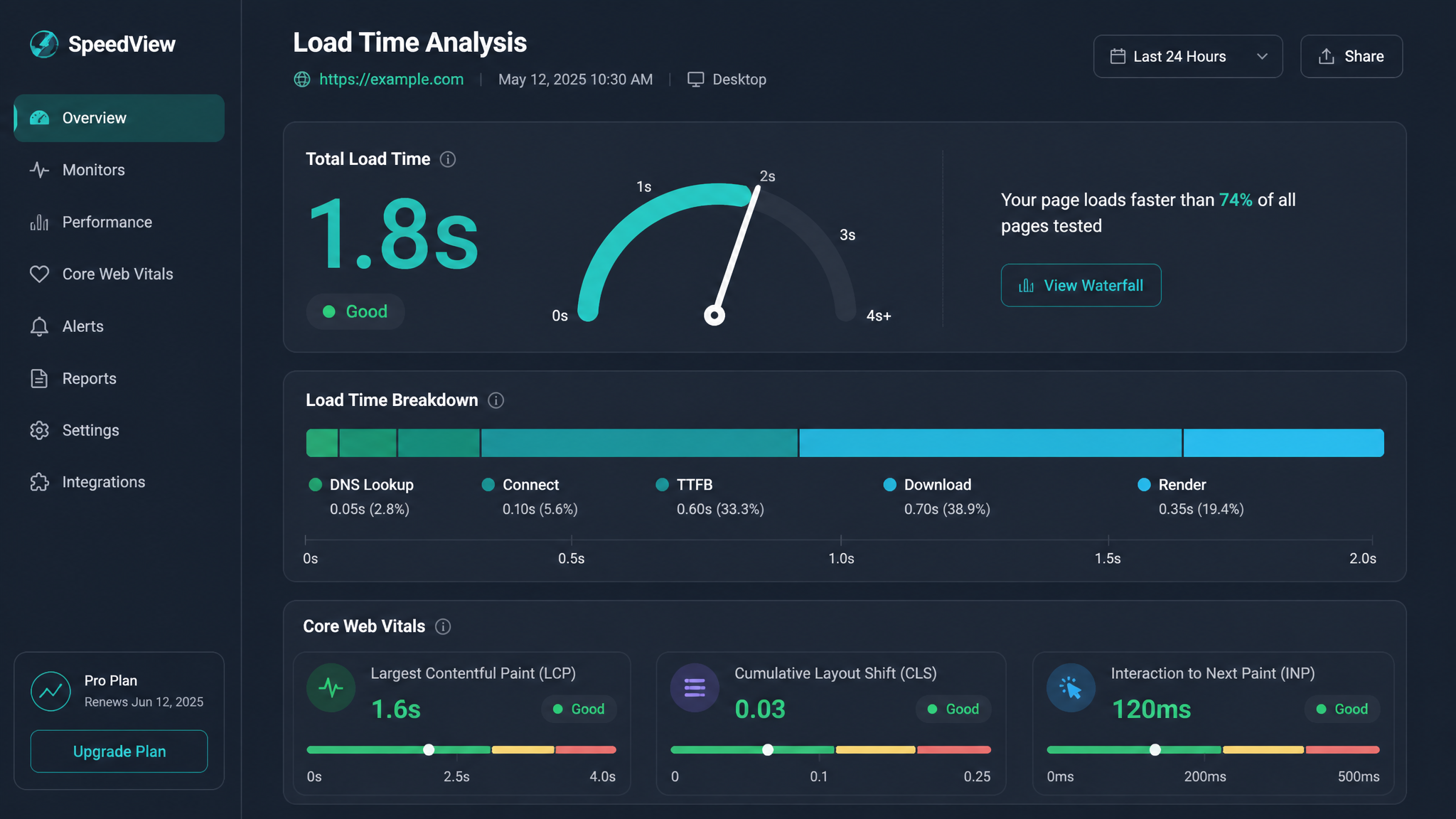
Free ebook: The Free SEO Stack
Keyword research without paying for Ahrefs — the complete guide. Read it online or download the PDF.
100% free · No spam · Unsubscribe any time
If you’ve ever stared at your analytics and wondered, "Why do my visitors vanish faster than biscuits at a meeting?", it might be your website’s load time pulling a disappearing act. Today, we’re walking through how to analyse website load time—step by step, with free tools and no jargon headaches. Whether you’re an SEO, marketer, blogger, or just the unlucky soul responsible for the site, you’ll soon know how to check your load speed, read the numbers, and actually do something useful about it.
Why Website Load Time Matters
Let’s cut to the chase: a slow site is like a shop with a jammed front door. Most punters just won’t bother. Even a one-second delay can spook your visitors and drain your conversions. Google’s not a fan of slowpokes either—site speed is a ranking factor. If your site’s nippy, your users stick around, your SEO improves, and you look less like you’re running the internet on dial-up. Win-win-win.
What Is Website Load Time? (And Why Should You Care?)
Here’s what most people miss: website load time isn’t just how fast your page appears—it’s how long it takes for every bit (text, images, scripts, stylesheets) to finish loading after someone hits your link. It’s measured in seconds, not in how many sighs your visitor lets out. Think of it like waiting for your entire breakfast to land at your table, not just the coffee.
| Load Speed Level | What That Actually Means |
|---|---|
| Fast load time | Under 2 seconds |
| Acceptable load | 2 – 4 seconds |
| Slow load time | Over 4 seconds |
Step-by-Step: How to Analyse Website Load Time
1. Choose Your Free Load Time Tool (No Wallet Required)
Bet you didn’t realise how many free tools were out there itching to tell you what’s slowing your site down. Here are the all-stars:
Each one’s got its quirks—like different mechanics peering under your car bonnet—but all will reveal where your load time’s leaking away.
2. Test Your Website (Let’s Get Hands-On)
Worked Example
Suppose you put https://demo-site.com into the KeywordNumbers Free Website Speed Test and pick ‘London, UK’ as your test location. Here’s what you might see:
For the detail-obsessed: 1.5 MB is about 1.57 million bytes, or if you’re a purist, roughly 1.43 MiB (mebibytes). Load time? Still 2.8 seconds—time zones don’t mess with physics.
3. Interpret the Results (Don’t Panic—Yet)
Look at numbers like ‘Time to First Byte’ (TTFB), ‘Largest Contentful Paint’ (LCP), and total requests. If your page size is ballooning, or you’ve got more requests than a pub at happy hour, it’s time to trim.
4. Spot What’s Slowing You Down
Most tools will hand you a laundry list of suspects. The usual troublemakers?
5. Make Improvements (And Watch the Magic Happen)
Once you’ve given your site a spring clean, retest and see those numbers drop.
Free Tools to Analyse Website Load Time
You don’t need to sell a kidney for good diagnostics. Try the KeywordNumbers Free Website Speed Test for a quick scan and plain-English tips to fix what’s broken.
| Tool Name | Free Plan? | Why Bother? |
|---|---|---|
| KeywordNumbers Speed Test | Yes | Simple, UK/EU/US locations, clear advice |
| Google PageSpeed Insights | Yes | Mobile & desktop, straight from Google |
| GTmetrix | Yes | Waterfall charts, tracks history |
| Pingdom Tools | Yes | Multiple locations, easy interface |
Questions People Are Actually Asking
How to check website loading time?
Pop your URL into a free online checker—like the KeywordNumbers Free Website Speed Test—and you’ll get the full load time breakdown, no technical degree needed.
What is a good website load time?
Under 2 seconds is the dream. Anything up to 4 seconds is passable, but if you’re hitting over 4, it’s time to roll up your sleeves and optimise.
Why is my website loading slowly?
It’s usually down to oversized images, too many plugins, no caching, chunky CSS/JS files, or a sluggish server. A speed test tool will name and shame the real culprit.
Does location affect website load time?
Absolutely. If your server’s in Sydney and your audience is in Sheffield, you’ll notice a lag. That’s where a CDN steps in—think of it as having mini-branches of your site worldwide.
How can I improve my website load speed?
Optimise your images, slim down and tidy up scripts, enable caching, use a CDN, and ditch any plugin that isn’t pulling its weight. Test, tweak, repeat.
Do mobile and desktop load times differ?
They do. Mobiles can be slower thanks to patchy connections and resource constraints. Always test both, or you might miss half your audience’s pain.
Is there a free tool to analyse website load time?
There is indeed! The KeywordNumbers Free Website Speed Test checks your speed, diagnoses issues, and gives tips—all for the price of zero pounds.
Conclusion
Analysing your website’s load time is easier than convincing your nan to use WhatsApp. Regularly check with a free tool like KeywordNumbers Free Website Speed Test, sort out the bottlenecks, and make Google and your visitors happier than ever. Go on—see how your site stacks up!
Free tools to put this into practice
Reading is one thing — testing your own pages is what moves the needle. Here are the free KeywordNumbers tools that pair best with this guide:
Every one of our free SEO tools is genuinely free to use, with no sign-up required.
Free ebook: The Free SEO Stack
Keyword research without paying for Ahrefs — the complete guide. Read it online or download the PDF.
- Which free tools replace Ahrefs, SEMrush & Moz
- Step-by-step keyword research workflow
- How to find content gaps without paying a penny
- The exact stack KeywordNumbers is built on
100% free · No spam · Unsubscribe any time
Ready to research your keywords?
Try our free keyword tools — no signup required.