API for Word Counting: Automate Content Analysis Without Losing Your Mind
Print / Save as PDFInsider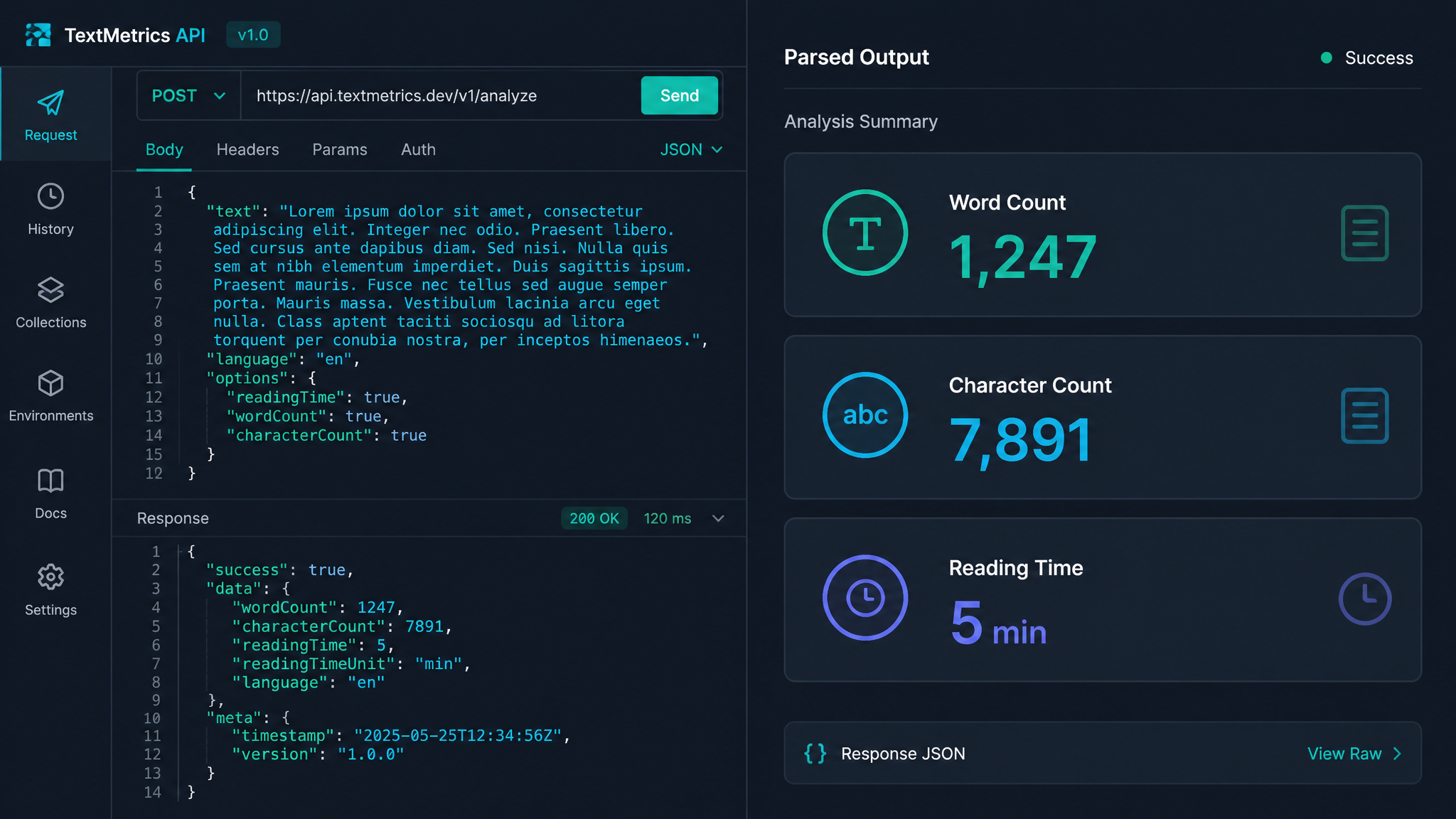
Free ebook: The Free SEO Stack
Keyword research without paying for Ahrefs — the complete guide. Read it online or download the PDF.
100% free · No spam · Unsubscribe any time
Ever stared at a mountain of text and thought, “There must be an easier way to count all these words”? Good news: there is. If you’re fed up with copy-pasting into Word just to check the count, or you’re building a content tool and need to process text at scale, a word count API is your new best mate. In this guide, you’ll learn what a word count API is, how it fits into your workflow, and why it beats manual counting like a whisk trounces a fork for whipping cream.
What Is an API for Word Counting?
Let’s cut through the jargon. An API (Application Programming Interface) is like a waiter in a restaurant. You tell it what you want (the word count for some text), it pops off to the kitchen (the backend), and brings you the answer—no need to hunt down the chef yourself.
A word count API does exactly what it says on the tin: it takes your text (or a URL), analyses it, and tells you how many words there are. No drama. No spreadsheets. Just cold, hard numbers on demand.
Why Automate Word Counting? (Or, Why Life’s Too Short for Manual Tedium)
Here’s what most people miss: word counting isn’t just for writers panicking about essay limits. It’s a secret weapon for:
Think of a word count API as the digital equivalent of a barcode scanner at the till—fast, accurate, and immune to distractions like office biscuits.
How Does a Word Count API Work?
Let’s break it down:
Want to try it without writing code? KeywordNumbers’ free Word Counter tool does the job in your browser. For developers, an API lets you roll this power into your own app or workflow.
Worked Example: Counting Words the Old Way vs API Magic
Picture this: You’ve got a batch of 50 articles. Each is roughly 1,200 words. Manually copy-pasting each article into Word takes about 30 seconds per piece—so, 25 minutes of your life gone (and that’s if you don’t get derailed by Slack notifications or the kettle).
With a word count API:
{ "words": 1198, "characters": 6783 }.You could process all 50 articles in under a minute. That’s the difference between running a marathon and hopping on a bullet train.
Metric vs Imperial: Does It Matter?
Counting words isn’t about centimetres or inches, but if you want a worked conversion, here’s how input size matters:
| Text Length | Approx Words (EN) | Character Count (inc. spaces) |
|---|---|---|
| One A4 page | ~500 | ~3,000 |
| One US Letter page | ~450 | ~2,700 |
(Yes, A4 is a bit taller and narrower than US Letter. Either way, the API doesn’t care about your paper size, only the text.)
How to Use a Word Count API in Your Workflow
Here’s how to get started, whether you’re a developer, content manager, or just love a good automation:
If you just need a quick check, use our free online Word Counter. If you’re automating, plug the API into your backend and let it do the heavy lifting.
Common Use Cases: Where an API Actually Saves Your Bacon
Questions people are actually asking
What counts as an API call?
An API call is just a single request sent to the API—think of it as ordering one coffee. If you send 10 pieces of text for word counting, that’s 10 API calls. Most APIs count each request individually, so keep an eye on your usage if you’re on a free or limited plan.
How to make word count?
To make a word count manually, copy your text into a tool like KeywordNumbers’ Word Counter or use the word count feature in most text editors. For automation, send your text to a word count API and let it handle the maths.
How to get a word count?
You can get a word count by:
The API route is fastest for bulk jobs or automation.
How to count words on a website?
To count words on a website:
How to determine word count?
Determining word count is as simple as running your text through a counter. If you’re using an API, send your content in the request and read the response—it’s like weighing fruit on supermarket scales: precise, quick, and no guesswork involved.
How to use word count?
Use word count to:
APIs make this process instant, especially when you’re handling lots of content.
How to count words on a webpage?
For a single page, copy the text into a counter. For automation (or laziness, no judgement), use a word count API that accepts URLs. It’ll fetch the page, strip the fluff, and give you just the numbers you need.
Conclusion: Ready to Automate?
Word count APIs are the chef’s knife of content analysis—fast, sharp, and infinitely more efficient than the blunt spoon of manual copying. Whether you’re an agency, a developer, or just allergic to tedious tasks, it’s time to automate. Give KeywordNumbers’ Word Counter tool a whirl today—your workflow (and your sanity) will thank you.
Free tools to put this into practice
Reading is one thing — testing your own pages is what moves the needle. Here are the free KeywordNumbers tools that pair best with this guide:
Every one of our free SEO tools is genuinely free to use, with no sign-up required.
Try the Word Counter
Good news — there's now a free tool for exactly this. Give our Word Counter a go and put this guide straight into practice.
Free ebook: The Free SEO Stack
Keyword research without paying for Ahrefs — the complete guide. Read it online or download the PDF.
- Which free tools replace Ahrefs, SEMrush & Moz
- Step-by-step keyword research workflow
- How to find content gaps without paying a penny
- The exact stack KeywordNumbers is built on
100% free · No spam · Unsubscribe any time
Ready to research your keywords?
Try our free keyword tools — no signup required.