Bulk Word Counter: The Content Chef’s Knife for Slicing Through Massive Texts
Print / Save as PDFInsider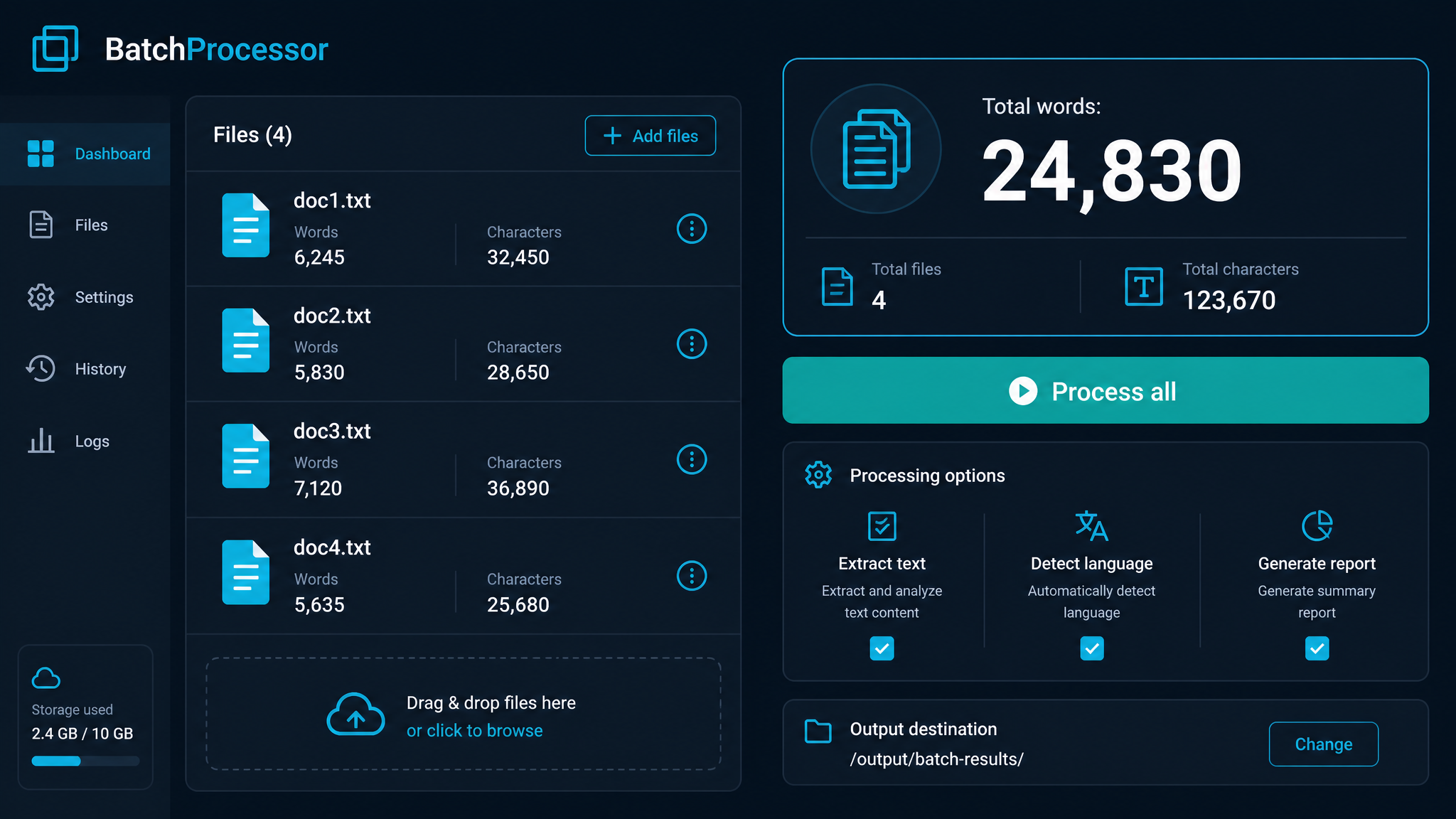
Free ebook: The Free SEO Stack
Keyword research without paying for Ahrefs — the complete guide. Read it online or download the PDF.
100% free · No spam · Unsubscribe any time
Ever tried counting the words in ten articles at once? It's like trying to count sheep in a wind tunnel—guaranteed confusion and zero sleep. Enter the bulk word counter: the content chef’s knife for slicing through mountains of text in seconds, not hours. In this guide, you’ll learn exactly how bulk word counters work, why they’re essential for writers, SEOs, and editors, and how to use one to blitz your workflow. Real examples, dry wit, and practical steps included—because no one has time for fluff (except maybe the sheep).
What Is a Bulk Word Counter—and Who Actually Needs One?
Let’s clear this up: a bulk word counter is an online tool (or sometimes a desktop app) that lets you count the words in multiple chunks of text at once. Think of it as a high-powered kitchen scale for your content—chuck in everything from blog posts to product descriptions, and it’ll spit out exact numbers for each one. Great for:
If you’re still pasting content into Word and squinting at the bottom left, it’s time to upgrade.
Why Bother With Bulk Counting? (Or: How to Save Your Sanity)
Here’s what most people miss: manually checking word count on dozens of files isn’t just tedious—it’s a time thief. Worse, it’s error-prone. Bulk word counters, like KeywordNumbers’ free word counter tool, are designed to do the heavy lifting.
Picture this: you’ve got 25 articles to review. You could open each one, copy, paste, check, and log the word count. Or, you could paste the lot into a bulk counter and get a tidy table in seconds. It’s like swapping a butter knife for a chef’s knife—same job, but one won’t leave you weeping at your desk.
Worked Example: Bulk Word Counting in Action
Let’s get concrete. Say you’ve got three blog posts:
| Article Title | Text Length (words) |
|---|---|
| "SEO for Beginners" | 1,050 |
| "Meta Tags Guide" | 780 |
| "Content Tools 101" | 1,220 |
Manually, you’d be hitting ‘Word Count’ three times, then totalling up: 1,050 + 780 + 1,220 = 3,050 words. In bulk, you paste all three into the bulk word counter, separated by line breaks, and—bam—it spits out:
Want imperial units? Think of it as counting 3,050 “word miles” rather than “word kilometres”—the distance is the same, the savings are real, and you’ve just bought yourself an extra coffee break.
How to Use a Bulk Word Counter (Without Pulling Your Hair Out)
Using a good bulk word counter is refreshingly simple:
Bonus: Some advanced counters let you upload files, ignore stopwords, or even spot keyword stuffing faster than you can say “Google penalty.”
Bulk Word Counter vs. Manual Methods: A Quick Comparison
| Method | Speed | Accuracy | Risk of Repetitive Strain Injury |
|---|---|---|---|
| Manual (Word, Docs) | Slow | Decent | High |
| Spreadsheet Formulas | Medium | Fiddly | Medium |
| Bulk Word Counter Tool | Fast | High | Minimal (unless you copy-paste like a maniac) |
No prizes for guessing which one keeps your wrists and your deadlines happy.
Common Mistakes to Dodge
Bet you didn’t realise these could trip you up:
Questions People Are Actually Asking
How much is a counter?
If you’re talking about a bulk word counter tool, many are free (like the KeywordNumbers bulk word counter). Paid options exist with extra features—think advanced analytics or file uploads—but for most users, free does the job nicely.
How much is a money counter?
Slight tangent, but for those wondering: money counters (as in, machines for counting cash) range from about £50 to £300+ depending on speed, features, and currency compatibility. Not exactly the same as a word counter, unless you’re counting very expensive words.
How to bulk up word count?
Want to hit a higher word count (without sounding like you’ve swallowed a thesaurus)?
Just don’t pad for the sake of it—Google (and readers) see through that faster than you can say “keyword stuffing.”
How to add a counter in Word?
In Microsoft Word, it’s built in: look bottom left for the live word count. For something more custom—like a character or sentence counter—go to ‘Review’ > ‘Word Count’. But if you need to batch-check multiple docs, Word’s not your friend. That’s where an online bulk word counter tool shines.
How to bulk easily?
If you mean ‘bulk’ as in ‘do things in bulk’, look for tools with batch processing (like a bulk word counter). If you mean ‘bulk up’ as in bodybuilding… this probably isn’t the site for you, but the principle’s the same: do more, efficiently, with the right tools.
How to bulk properly?
See above: whether it’s content or chicken breasts, batching is about preparation and the right equipment. For content, that means using a purpose-built word counter instead of hacking together spreadsheets or scripts.
What is another word for counter?
Depends on context:
But if you’re after synonyms for the countertop in your kitchen, you’re on your own.
Conclusion: Get Counting (the Smart Way)
Bulk word counters are the unsung heroes of content work—speeding up batch checks, freeing up hours, and keeping your workflow sharp. Next time you’re faced with a mountain of articles, don’t reach for the butter knife. Try the free bulk word counter at KeywordNumbers and see how quick, accurate counting really feels.
Free tools to put this into practice
Reading is one thing — testing your own pages is what moves the needle. Here are the free KeywordNumbers tools that pair best with this guide:
Every one of our free SEO tools is genuinely free to use, with no sign-up required.
Free ebook: The Free SEO Stack
Keyword research without paying for Ahrefs — the complete guide. Read it online or download the PDF.
- Which free tools replace Ahrefs, SEMrush & Moz
- Step-by-step keyword research workflow
- How to find content gaps without paying a penny
- The exact stack KeywordNumbers is built on
100% free · No spam · Unsubscribe any time
Ready to research your keywords?
Try our free keyword tools — no signup required.