How to Check Meta Tags for Social Sharing: Don’t Let Facebook Dress Your Site in Its Pyjamas
Print / Save as PDFInsider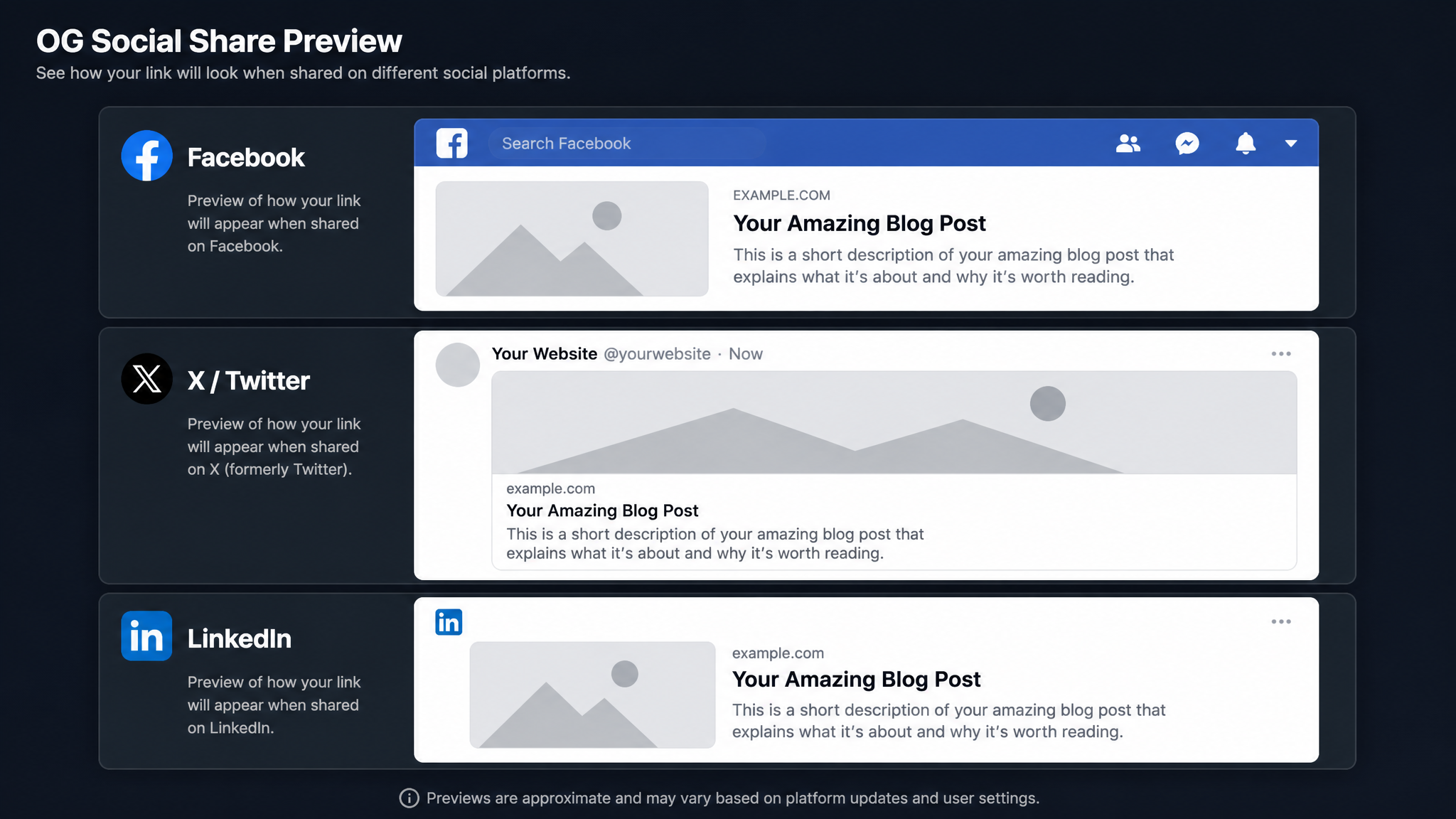
Free ebook: The Free SEO Stack
Keyword research without paying for Ahrefs — the complete guide. Read it online or download the PDF.
100% free · No spam · Unsubscribe any time
Sharing your latest masterpiece on social media? Lovely. But if your meta tags are a mess, you might as well be sending your site to a black-tie event in a dressing gown. Let’s fix that. In this straight-talking guide, you’ll learn how to check meta tags for social sharing, why they matter, and how to make sure Facebook, Twitter, and LinkedIn all show your content in its Sunday best.
What Are Social Sharing Meta Tags, Really?
Here’s the deal: meta tags are like little Post-it notes in your site’s HTML, whispering instructions to search engines and social media. For social sharing, you get specialist notes—Open Graph for Facebook, LinkedIn, WhatsApp, and Twitter Cards for, well, Twitter. These tags decide what title, description, and image show up when your link is chucked into a group chat or a feed.
The Usual Suspects: Social Meta Tag Cheat Sheet
| Platform | Tag Type | What to Look For |
|---|---|---|
| og:title, og:desc | | |
| twitter:card | | |
| Uses Open Graph | |
Think of these as your site’s ID badge at the club door. No tag, no entry—or worse, you’re shown in the wrong queue.
Why Bother Checking Meta Tags for Social Sharing?
Let’s cut to the chase—here’s what most people forget:
How to Check Meta Tags on Your Website (No IT Degree Needed)
You’ve got a few options, from one-click wonders to good old elbow grease:
1. The Lazy Genius Way: Use a Free Meta Tag Checker Tool
Why dig through code like a mole when you can just pop your URL into the free Meta Tags Checker tool on KeywordNumbers? It spits out a full report—no spanners required. Instantly see what you’ve got, what’s missing, and what’s going to let you down on social.
2. Old School: Check Meta Tags Manually in Your Browser
For those who like to see the wires under the hood, here’s how:
og:, twitter:, or just meta.You’re looking for gems like:
`html
`
If those look like hieroglyphics, you might prefer the next option.
3. Browser Extensions: Meta Tag X-Ray Specs
If manual labour isn’t your thing, grab a Chrome/Edge plugin like “Open Graph Preview” or “Meta SEO Inspector.” With one click, you’ll see your tags laid bare—no code, no fuss. It’s like having X-ray vision, but for nerds.
How to Optimise Social Meta Tags: Let’s See a Real-World Example
Bet you didn’t realise: even a killer blog can flop on socials if its preview is a mess. Picture this—you’re sharing a blog post about cycling safety. Here’s what a spot-on preview might look like:
Here’s the HTML magic behind that:
`html
`
No pixelated thumbnails, please. If your image looks like it was taken on a potato, start again.
Pro Tips for Social Sharing Meta Tags
Let me save you from rookie mistakes:
Questions People Are Actually Asking
How to check meta tags on website?
Curious what’s under the bonnet? Either view your page’s HTML source manually, or let technology do the work and use the Meta Tags Checker tool on KeywordNumbers. Pop in your URL, get a full breakdown—no sweat.
How to see a website’s meta tags?
Right-click, hit View Page Source, and then search for . Or skip the DIY and use a browser extension or online tool that’ll spoon-feed you every tag—no coding or squinting needed.
How to do meta tags?
Drop meta tags into your site’s section in the HTML. Use the right ones for each platform—Open Graph for Facebook and LinkedIn, Twitter Cards for Twitter. If you use WordPress or similar, there are plugins that do the heavy lifting (no shame there).
How much is a share of meta?
If you mean Meta Platforms, Inc. (the Facebook mothership), check a financial news site or your broker for the latest price. If you’re talking about website meta tags, there’s no such thing as a “share of meta”—unless you fancy confusing your accountant.
How to use meta tags in SharePoint?
On SharePoint, you can add meta tags via site settings or by tinkering with the page HTML if you’re the adventurous sort. Sometimes SharePoint handles metadata for you, but for proper control, have a word with your site admin.
What happens if I don’t set social meta tags?
Brace yourself: social platforms will grab whatever text or image they fancy. The result? Your link might look unprofessional, off-brand, or just plain weird. Setting meta tags puts you back in the driver’s seat.
Do meta tags affect SEO rankings?
Not directly—Google won’t bump you up for a perfect og:image. But good meta tags lead to more clicks and engagement, which can nudge your rankings north over time. It’s like the long game in chess.
Conclusion
If you want your content to stand out on Facebook, Twitter, LinkedIn and the rest, don’t leave your meta tags to chance. Give them ten minutes’ TLC—start with a quick audit using the free Meta Tags Checker on KeywordNumbers—and you’ll stand a much better chance of getting clicked, shared, and generally admired.
Free tools to put this into practice
Reading is one thing — testing your own pages is what moves the needle. Here are the free KeywordNumbers tools that pair best with this guide:
Every one of our free SEO tools is genuinely free to use, with no sign-up required.
Free ebook: The Free SEO Stack
Keyword research without paying for Ahrefs — the complete guide. Read it online or download the PDF.
- Which free tools replace Ahrefs, SEMrush & Moz
- Step-by-step keyword research workflow
- How to find content gaps without paying a penny
- The exact stack KeywordNumbers is built on
100% free · No spam · Unsubscribe any time
Ready to research your keywords?
Try our free keyword tools — no signup required.