Check Website Speed from Different Countries: Because Your Site Isn't Just for the Bloke Next Door
Print / Save as PDFInsider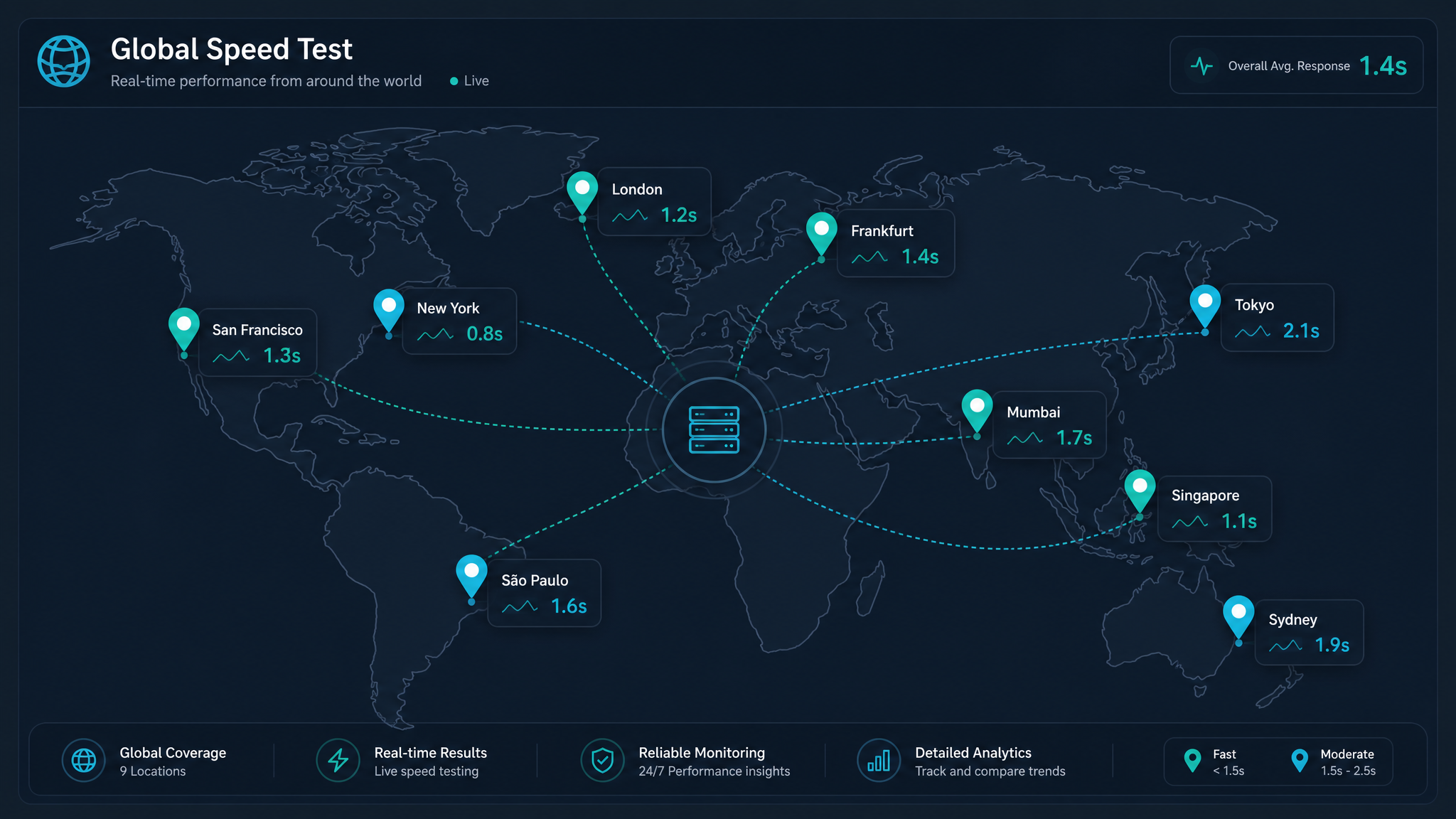
Free ebook: The Free SEO Stack
Keyword research without paying for Ahrefs — the complete guide. Read it online or download the PDF.
100% free · No spam · Unsubscribe any time
In the age of global Zoom calls and next-day shipping to everywhere, your website’s probably getting more stamps on its passport than you are. But here’s the million-dollar question: is your site lightning-fast in London but taking a tea break in Tokyo? Let’s cut through the jargon and see how to check website speed from different countries—with a few handy metaphors and the odd dry joke thrown in, because why not?
Why Website Speed Isn’t the Same Everywhere (And No, It’s Not Magic)
Ever wonder why your site loads in a flash for you, but your mates down under are still waiting for the homepage to appear? It’s not just bad luck. Here’s what actually slows things down for visitors across the globe:
Bottom line: if you want a website that’s quick on its feet everywhere, you’ve got to understand what’s slowing it down.
So, What’s an Internet Speed Analyser, Then?
You can think of an internet speed analyser as a mystery shopper for your website—except instead of rating your checkout smile, it’s timing how long your site takes to load in Berlin vs Brisbane. Unlike those basic speed tests which only check your own connection, these tools simulate visits from far-flung spots on the map. Proper James Bond stuff (but with fewer car chases).
The Need-to-Know Speed Metrics
Why International Website Speed Actually Matters (No, Really)
Here’s what most people miss: slow speed isn’t just a minor annoyance. It’s a silent sales killer and an SEO anchor. Let’s break it down:
How to Check Website Speed from Different Countries (Step-by-Step, No Guesswork)
Bet you didn’t realise it was this easy:
Worked Example: A Round-the-World Website Speed Check
Let’s say you run www.example-shop.com and want to see how it fares in the UK, US, and Australia. Here’s a sample scoreboard:
| Country | TTFB (ms) | Total Load Time (sec) | Page Size (KB) |
|---|---|---|---|
| UK | 180 | 1.8 | 900 |
| US | 350 | 2.4 | 900 |
| Australia | 600 | 3.2 | 900 |
Best Practices to Turbocharge Your Global Website Speed
Questions People Are Actually Asking
How can I test my website speed from different countries?
Simple: grab an internet speed analyser that lets you pick test locations worldwide. Type in your URL, select your countries, and check out the metrics. The KeywordNumbers.com website speed checker makes this quick and painless.
What is the best tool to check website speed internationally?
Look for tools that simulate global visits and show TTFB, load time, and more. The KeywordNumbers Website Speed Checker is a solid free option for international results without the faff.
Why is my website slower in some countries than others?
Blame physics (distance), local infrastructure, or a missing CDN. If your site’s hosted in London, don’t expect instant load times in New Zealand unless you’ve taken steps to bridge the gap.
How do CDNs help with international website speed?
A CDN is like having mini-warehouses for your website all over the world. Visitors get content from their closest outpost, so your site loads briskly whether they’re in Berlin or Bombay.
What is a good website load time for international visitors?
Under 2.5 seconds in your main markets is the gold standard. If somewhere keeps lagging behind, it’s time for a tune-up—users and Google both notice.
Does website speed affect Google search rankings in other countries?
Absolutely. Google’s speed obsession is global—sluggish load times in one region can knock you down the rankings over there, even if you’re flying elsewhere.
How often should I check my website’s global performance?
Don’t just set and forget. Monthly at a minimum, and always after any big site changes. The sooner you spot a problem, the less chance it snowballs.
Wrapping Up: Ready for World Domination?
Checking your website’s speed from different countries isn’t just a box-ticking exercise—it’s the difference between keeping or losing visitors (and rankings) worldwide. Armed with the right internet speed analyser, you’ll spot trouble before it costs you. Fancy seeing how your site performs across the planet? Take the free Website Speed Checker at KeywordNumbers.com for a spin and get your site humming, wherever your audience lands.
Free tools to put this into practice
Reading is one thing — testing your own pages is what moves the needle. Here are the free KeywordNumbers tools that pair best with this guide:
Every one of our free SEO tools is genuinely free to use, with no sign-up required.
Free ebook: The Free SEO Stack
Keyword research without paying for Ahrefs — the complete guide. Read it online or download the PDF.
- Which free tools replace Ahrefs, SEMrush & Moz
- Step-by-step keyword research workflow
- How to find content gaps without paying a penny
- The exact stack KeywordNumbers is built on
100% free · No spam · Unsubscribe any time
Ready to research your keywords?
Try our free keyword tools — no signup required.