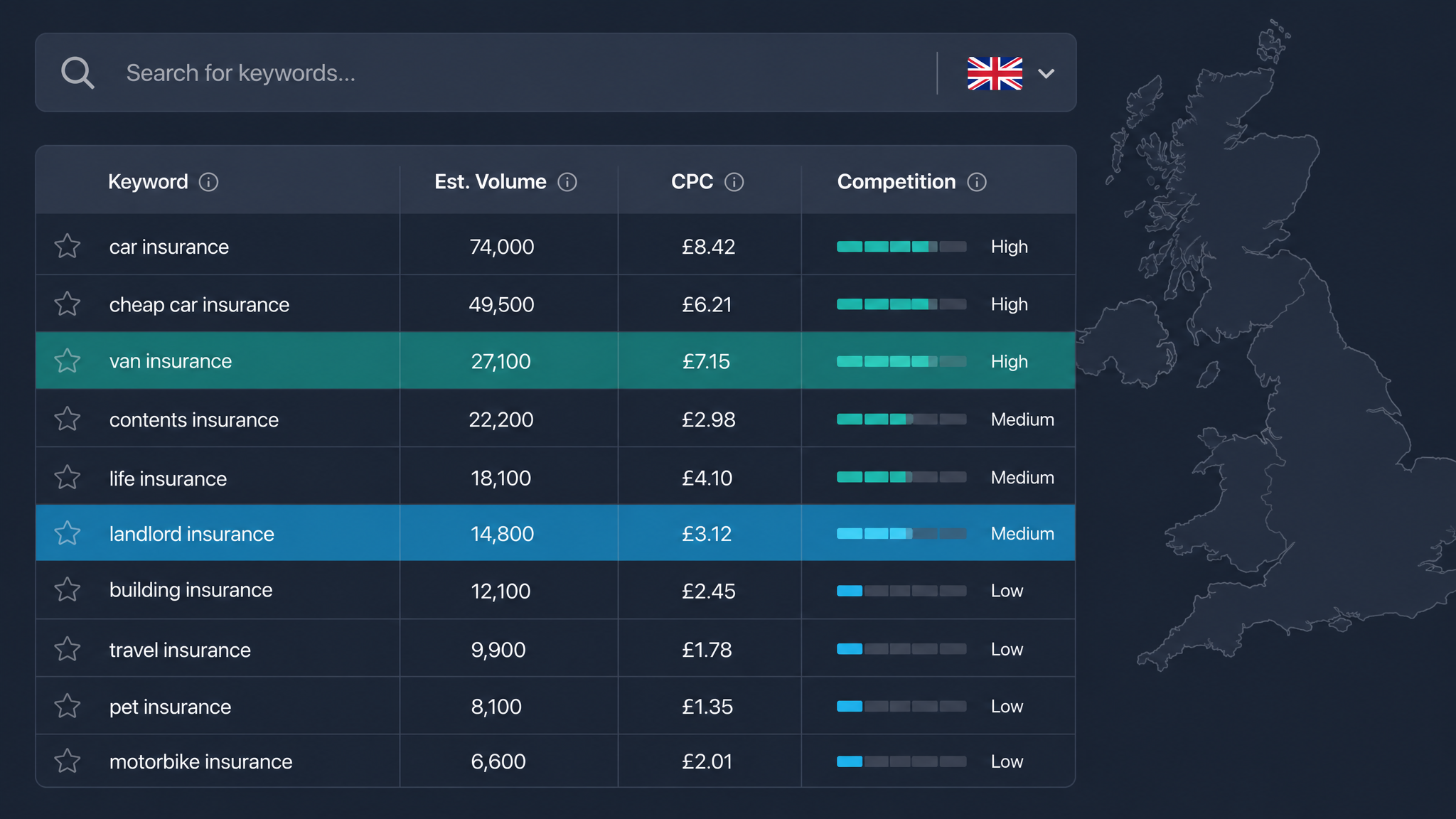
Keyword Analysis Google: A UK Guide for 2026

Performing a thorough keyword analysis Google provides is the foundation of any successful search strategy, yet most UK businesses are doing it with one hand tied behind their back. They open a free tool, type in a seed term, grab the list of suggestions with the highest numbers, and call it a day. That approach leaves money on the table, content unread, and ad budgets leaking into clicks that never convert. Whether you are targeting "Manchester plumber" or "London SaaS," the data is different here. Search behaviour in Birmingham does not mirror search behaviour in Boston, and the tools you use need to be tuned accordingly. By the end of this guide, you will know exactly which Google tools to use for free, how to interpret the data for the UK market, and how to avoid the common mistakes that waste ad spend and content effort.
Table of Contents
Why Standard Keyword Analysis Often Misses the Mark for UK Businesses
The most pervasive problem in keyword analysis is what I call the "Global Data Trap." Most free and paid keyword tools default to United States search data, feeding you volumes and competition metrics that have little bearing on what happens when someone types a query from a flat in Edinburgh or an office in Cardiff. A classic example: the term "football" carries entirely different intent and volume patterns in the UK compared to the US, where "soccer" dominates. If your tool is pulling from a global or US-centric database, you are making decisions on numbers that do not represent your actual market.
Then there is the disconnect between national trends and local intent. A keyword like "coffee shop" might show healthy volume across the UK, but the person searching it on a Tuesday morning in Leeds wants something fundamentally different from someone searching it on a Saturday afternoon in Brighton. The "near me" modifier, which has grown by over 200 percent in the UK over the past three years, rarely appears in standard keyword tool exports, yet it drives the majority of foot traffic for local businesses. Ignoring this granularity means optimising for searches that never reach your door.
The free tool fallacy compounds these issues. Google Keyword Planner is an extraordinary resource, but it was built for advertisers planning campaigns, not for SEOs building content strategies. Its metrics skew toward commercial terms with high cost-per-click values, and its volume ranges can be frustratingly broad for low-traffic queries. Relying on it alone gives you a distorted picture of where the real opportunities lie.
Finally, the 2026 search landscape has shifted in ways that make traditional keyword analysis less sufficient on its own. AI Overviews now occupy prime SERP real estate for informational queries, synthesising answers from multiple sources and reducing click-through rates for traditional organic listings. Voice search, driven by smart speakers and mobile assistants, has changed the phrasing of queries from staccato keywords to natural language questions. Your keyword analysis needs to account for these shifts, not fight against them.
Photo by Jeffrey Ashitey on Pexels
The Google Tools You Should Actually Be Using
Google provides three free tools that, used together, give you a more complete picture than any single paid platform. The trick is knowing which tool answers which question.
Google Keyword Planner remains the primary data source for search volumes, but most users navigate it incorrectly. When you log in, you are presented with two options: "Discover new keywords" and "Get search volume and forecasts." The first option, tempting as it is, generates suggestions based on Google's advertising algorithms and often returns terms bloated with commercial intent. For accurate volume data, always choose "Get search volume and forecasts," paste in your own list of keywords, and set the location filter to United Kingdom specifically. This bypasses the suggestion bias and gives you cleaner numbers for the terms you actually care about.
Google Trends is the context tool that Keyword Planner cannot be. It tells you whether a keyword is rising or falling, reveals seasonal patterns specific to the UK market, and lets you compare search interest across England, Scotland, Wales, and Northern Ireland. A term like "Christmas delivery" predictably spikes in November and December, but Trends can show you exactly which week the surge begins each year, allowing you to time content and campaigns with precision. It also surfaces regional variations: a term that performs well in London might have negligible interest in the Highlands, and vice versa.
Google Search Console is the most underrated tool in the entire keyword analysis workflow. It shows you which queries you already rank for, your average position, your click-through rate, and the pages Google associates with those queries. This is your ground truth data, unmediated by third-party estimates or advertising algorithms. If Search Console tells you that you rank position 12 for a term with 1,000 monthly impressions and a 4 percent CTR, you have a real opportunity sitting right in front of you. No forecasting tool can give you that level of actionable insight about your own site.
The fourth tool is not a dashboard at all. Open a UK-based incognito browser window and search your target term manually. Look at the "People Also Ask" box, the "Related searches" at the bottom of the page, and the AI Overview if one appears. These elements reveal the exact questions real users are asking, questions that often do not appear in keyword tool exports. The research landscape for this topic has a notable gap in People Also Ask coverage, which means manually harvesting these questions gives you content ideas your competitors are overlooking.
A Step-by-Step Framework for Keyword Analysis (UK Edition)
A reliable framework removes guesswork and keeps you focused on keywords that actually drive business outcomes. Here is the five-step process that works for UK sites of every size.
Step one: define your money metrics before you look at a single keyword. Volume is the number everyone fixates on, but it is the least useful metric in isolation. For the UK market, prioritise commercial intent and local relevance. Commercial intent reveals itself through modifiers like "buy," "hire," "quote," "price," "near me," and "same day." Local relevance comes from geo-modifiers: city names, postcodes, boroughs, and regional terms like "Yorkshire" or "South West." A keyword with 50 monthly searches and clear buying intent is worth more than one with 5,000 searches and no discernible intent at all.
Step two: build your seed list. Start with five to ten core topics that define your business. If you run a solicitors' firm in Bristol, your seeds might be "family lawyer," "conveyancing solicitor," "employment law advice," and so on. Before expanding these, run them through Google Trends with the UK filter applied. Check the five-year view to see whether interest is rising, falling, or stable. A declining trend does not mean you abandon the term, but it does tell you not to build your entire strategy around it.
Step three: expand your list using Google Keyword Planner. Enter your seed terms into the "Get search volume and forecasts" tool with the UK location filter applied. Export the results. Here is a pro tip that most guides miss: ignore the "Competition" column entirely. That metric reflects advertiser competition for paid placements, not SEO difficulty. Instead, look at the "Top of page bid (low range)" column. A higher bid, even at the low end, signals that advertisers are converting on that term, which makes it a strong proxy for commercial value. Sort your export by this column to identify the terms worth pursuing first.
!Man in office analyzing financial data on a digital tablet.
Photo by Towfiqu barbhuiya on Pexels
Step four: filter your expanded list into three opportunity buckets. The first bucket is high volume with low competition, the Goldilocks zone for SEO content. These are terms where search demand exists but few sites have properly optimised for them. The second bucket is high volume with high competition, suitable for PPC campaigns or for sites with strong domain authority that can realistically compete. The third bucket is low volume with high intent, the long-tail phrases that convert best for UK service businesses. A term like "emergency plumber open now Glasgow city centre" might show only 30 searches a month, but every one of those searchers needs help immediately and is ready to pay.
Step five: validate everything against Search Console. Export your site's query data for the past 12 months and cross-reference it with your keyword list. If you find a term where you rank on page two with a decent CTR, that is your quickest win. A small improvement in position for a term already driving impressions can double your traffic faster than targeting an entirely new keyword from scratch. This validation step also reveals terms you rank for that never appeared in your Planner export, giving you new seed ideas for the next cycle.
Analysing Competitor Keywords
Competitor analysis does not require expensive tools, though platforms like SpyFu and SEMrush certainly speed up the process. A manual method that costs nothing: use Google's advanced search operators to peek at what your competitors have optimised for. The query site:competitor.co.uk intitle:keyword shows you every page on their domain that targets a specific term in its title tag. Run this for your top three UK competitors and you will quickly see which topics they consider worth the effort.
The real value in competitor keyword analysis is identifying gaps, not copying their entire strategy. Look for informational keywords they rank for that you do not. These are typically guides, how-tos, and explainer content that capture top-of-funnel traffic. A competitor ranking for "how to choose a conveyancing solicitor" is pulling in people at the research stage, some of whom will later convert. If you have no equivalent content, you are ceding that entire pipeline to them.
Backlink context matters enormously when assessing whether you can compete for a keyword. A competitor ranking first for a high-volume commercial term with 50 referring domains from authoritative UK sites has built a moat that will take you months or years to cross. That does not mean you ignore the term, but you should classify it as a long-term project and focus your immediate efforts on keywords where the ranking pages have weaker backlink profiles. The Keyword Numbers blog has a detailed guide on competitor keyword analysis for the UK market that walks through this process step by step.
Keyword Analysis for Different UK Business Types
The framework above works universally, but the emphasis shifts depending on your business model. Applying the same lens to every keyword list produces mediocre results across the board.
For local service businesses, an electrician, a dentist, a driving instructor, geo-modifiers are everything. Your keyword analysis must centre on location-specific terms because that is how your customers search. Analyse phrases like "emergency boiler repair Glasgow" rather than the generic "boiler repair." Use Google Trends to check whether "emergency" is a rising modifier in your city specifically. You might discover that searches for "same day" have overtaken "emergency" in your area, signalling a shift in how people phrase their urgent needs. The volume on these hyper-local terms will look small in Keyword Planner, but the conversion rate makes them the most valuable keywords in your entire strategy.
For e-commerce and UK retail, product intent modifiers separate browsers from buyers. Analyse the difference between "best running shoes 2026" and "buy running shoes UK." The former is research-stage traffic with lower conversion potential. The latter is purchase-ready. Use Keyword Planner to identify the exact product names and model numbers people search for, not just broad category terms. A surprising amount of e-commerce search volume lives in specific product codes and brand-model combinations that generic keyword research misses entirely. If you sell electronics, for instance, people search "Samsung Galaxy S25 256GB black" far more often than they search "new Samsung phone."
For B2B and SaaS companies, accounting software, project management tools, HR platforms, the highest-converting keywords are almost always problem-based rather than product-based. Analyse terms like "how to automate invoicing for small business" rather than "accounting software UK." The search volume will be lower, often dramatically so, but the person typing that query has already identified their problem and is looking for a solution. They are further down the buying cycle than someone searching a generic category term. Your keyword analysis for B2B should surface these problem statements and map them to the specific features or services that solve them.
Common Pitfalls in Google Keyword Analysis (And How to Avoid Them)
The first and most damaging pitfall is ignoring the "not provided" data gap. Since Google began encrypting search data, the majority of organic keywords in analytics platforms show as "not provided." Many marketers respond by relying entirely on Keyword Planner, which gives them a list of terms divorced from their site's actual performance. The fix is straightforward: make Search Console your primary validation tool. It reveals the queries driving impressions and clicks to your site, even when analytics cannot. If you are not cross-referencing Planner data with Search Console data, you are operating on assumptions, not evidence.
The second pitfall is volume chasing. A keyword with 10,000 monthly searches and a 0.1 percent conversion rate generates ten conversions. A keyword with 100 monthly searches and a 10 percent conversion rate also generates ten conversions, but costs far less to rank for and typically requires less content investment. High-volume terms look impressive in reports. High-intent terms pay the bills. Your keyword analysis must weight intent as heavily as it weights volume, or you will build a strategy that attracts traffic without generating revenue.
The third pitfall is forgetting mobile intent. Over 60 percent of UK searches now happen on mobile devices, and mobile searchers behave differently. They use more immediate language: "open now," "near me," "same day delivery," "walk in." If your keyword analysis does not account for these mobile-specific modifiers, you are invisible to the majority of your potential customers at the exact moment they are ready to act. Run a separate analysis pass specifically for mobile-intent keywords and ensure your site's mobile experience can convert that traffic.
The fourth pitfall is treating keyword analysis as a one-off task. Search behaviour shifts. New competitors enter the market. Google updates its algorithms. A keyword list built in January is stale by June. Set a quarterly calendar reminder to re-run your full analysis using the five-step framework. Between those quarterly deep dives, check Google Trends monthly for your core terms to catch seasonal shifts before they affect your traffic.
Frequently Asked Questions About Google Keyword Analysis
Is Google Keyword Planner free in the UK? Yes, it is completely free, but you do need a Google Ads account to access it. You do not need to run an active campaign or spend any money on advertising. Create an account, navigate to Tools and Settings, and open Keyword Planner. If the interface asks you to set up a campaign, look for the option to skip or navigate directly to the planner from the tools menu.
What is the best free alternative to Google Keyword Planner for UK SEO? For volume and trend data, Google Trends is the strongest free alternative, especially for UK-specific analysis. For actual ranking data tied to your own site, Google Search Console is irreplaceable. Neither tool replicates Keyword Planner exactly, but together they cover the gaps that Planner leaves open.
How often should I do keyword analysis? A full analysis every quarter is the recommended cadence for most UK businesses. This gives you enough data to spot meaningful trends without chasing noise. A quick monthly check on Google Trends for your top ten keywords helps you catch seasonal shifts or sudden changes in interest that might warrant an earlier full review.
Does keyword analysis help with AI Overviews? Yes, and in a specific way. AI Overviews tend to pull from content that answers questions directly and comprehensively. Focus your keyword analysis on question-based queries and long-tail phrases that address specific user needs. Content structured around clear questions with concise answers is more likely to appear in AI Overviews, which increasingly occupy the top of UK search results for informational queries.
Conclusion: Turn Data into Strategy
The five-step framework, seed, expand, filter, validate, execute, transforms keyword analysis from a passive data-gathering exercise into an active strategy driver. Each step builds on the last, and the validation step ensures you never waste effort on keywords that look good on paper but do not perform for your specific site.
By focusing on UK-specific data, you are already ahead of the majority of your competitors who accept global defaults without question. The tools are free. The data is available. The only missing piece is the discipline to follow the framework consistently. Stop guessing what your UK audience wants. Use the tools and process above to perform a proper keyword analysis Google provides, and start building a strategy that actually drives results in 2026. For a deeper look at the tools available to support this work, see the best SEO keyword tools for the UK market.
Ready to research your keywords?
Try our free keyword tools — no signup required.