Keyword Cannibalisation Checker: The Site-Saving Detective Your SEO Needs
Print / Save as PDFInsider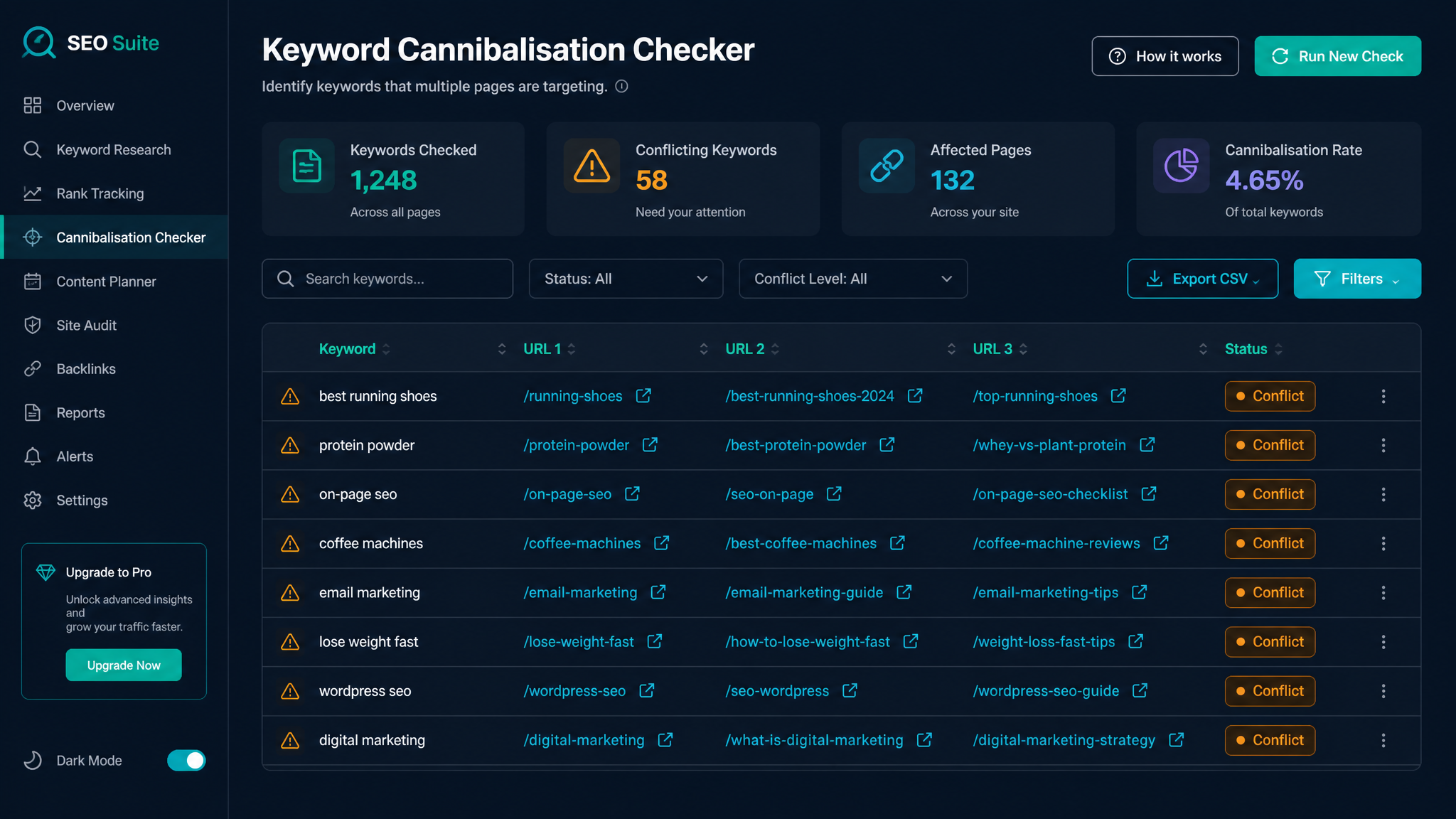
Free ebook: The Free SEO Stack
Keyword research without paying for Ahrefs — the complete guide. Read it online or download the PDF.
100% free · No spam · Unsubscribe any time
If your rankings are drifting south or just plain stalling, keyword cannibalisation might be the invisible gremlin wrecking your SEO party. In this guide, we’ll demystify what keyword cannibalisation is (spoiler: it’s not as tasty as it sounds), why it matters, and how a keyword cannibalisation checker acts like a search engine SAT NAV—steering you away from dead ends. Plus, I’ll walk you through how to actually fix the mess, sharpen up your keyword strategy, and keep those pages playing nicely together.
What is Keyword Cannibalisation? (And Why It's the SEO Version of Sibling Rivalry)
Here’s what most people miss: keyword cannibalisation is like having twins take the same exam—they keep competing, and neither comes out top of the class. In SEO terms, it happens when multiple pages on your site elbow each other for the same or very similar keywords. Instead of one clear page Google can crown as champion, you get several scrapping for attention. The result? Watered-down authority, split traffic, and a confused algorithm that just wants to pick a winner.
Why Keyword Cannibalisation is Bad for SEO
Bet you didn’t realise your own pages could sabotage each other, did you? Here’s how cannibalisation quietly torpedoes your hard work:
How to Identify Keyword Cannibalisation
You could play detective by typing site:yourdomain.com keyword into Google, sifting through the suspects, and trying to spot the duplicate offenders. But that’s about as fun as counting grains of rice, and you’ll almost certainly miss some sneaky overlap.
Instead, let a free keyword cannibalisation checker do the heavy lifting. This tool combs your site, finds pages fighting over the same keywords, and highlights the trouble spots faster than you can make a coffee. Hours saved, headaches avoided.
Worked Example: Detecting Cannibalisation in the Wild
Let’s say you run a cycling blog and want to check if your content is fighting itself over "best road bike tyres". You pop your domain and target keyword into the checker.
| Page URL | Target Keyword | Ranking Position | Monthly Traffic (UK) | Monthly Traffic (US) |
|---|---|---|---|---|
| /road-bike-tyres-guide | best road bike tyres | 8 | 180 | 220 |
| /road-bike-tyres-review | best road bike tyres | 14 | 120 | 160 |
Two pages, same keyword. The checker flashes its warning lights and suggests fixes—merge those articles, send one down a different keyword path, or tidy up your internal links. Like a referee for your own internal content squabble.
How a Keyword Cannibalisation Checker Actually Works
Ever wondered what’s under the bonnet? Here’s how a robust checker tool gets the job done:
The KeywordNumbers free checker does all this with a few clicks, displaying everything in a way even your nan could understand.
Best Practices to Keep Cannibalisation at Bay
Here’s your SEO pest control plan:
How to Check Your Keywords (So You Don’t Get Blindsided Again)
Beyond just fending off cannibalisation, ongoing keyword tracking is like having a weather app for your SEO—know what’s coming, adjust accordingly.
Questions People Are Actually Asking
What is keyword cannibalisation?
Keyword cannibalisation is when you’ve got multiple pages on your own site fighting over the same keyword—so neither gets Google’s full backing. It’s like entering two horses in the same race: you split your chances instead of going for gold.
How to identify keywords?
Start with keyword research tools—find what your audience cares about. Assign one main keyword per page (no sharing!), then use a cannibalisation checker to sniff out any sneaky overlaps.
How to check keywords?
Check your rankings using SEO tools that track where each page sits in Google. Or, for the old-school approach, run a site:yourdomain.com keyword search and see which pages are muscling in for your term.
How to fix keyword cannibalisation?
Sort cannibalisation by merging similar pages, deleting what’s outdated, using 301 redirects, or reworking pages to focus on different keywords. The golden rule: every page gets its own spotlight keyword.
Does keyword cannibalisation affect all websites?
Pretty much any site with a decent backlog of content can run into cannibalisation—especially blogs, online shops, or big company sites. Regular audits keep the keyword chaos under control.
Can keyword cannibalisation impact my rankings in different countries?
Absolutely. If your pages are duelling for the same keyword, it’ll dilute your rankings no matter the country, currency, or spelling quirks.
How often should I check for keyword cannibalisation?
At least every few months, or whenever you launch new content in a topic you’ve covered before. Regular tool check-ins stop problems before they start.
Conclusion
Keyword cannibalisation is the silent SEO killer—sapping your rankings from the shadows. But it’s dead simple to spot and fix once you know how. Make a habit of using a free keyword cannibalisation checker, and you’ll keep your content focused, your rankings healthy, and your traffic on the up. Go on, give it a whirl—your future self will thank you.
Free tools to put this into practice
Reading is one thing — testing your own pages is what moves the needle. Here are the free KeywordNumbers tools that pair best with this guide:
Every one of our free SEO tools is genuinely free to use, with no sign-up required.
Free ebook: The Free SEO Stack
Keyword research without paying for Ahrefs — the complete guide. Read it online or download the PDF.
- Which free tools replace Ahrefs, SEMrush & Moz
- Step-by-step keyword research workflow
- How to find content gaps without paying a penny
- The exact stack KeywordNumbers is built on
100% free · No spam · Unsubscribe any time
Ready to research your keywords?
Try our free keyword tools — no signup required.