Measure Site Speed Globally: The Internet Speed Analyzer Every SEO Needs
Print / Save as PDFInsider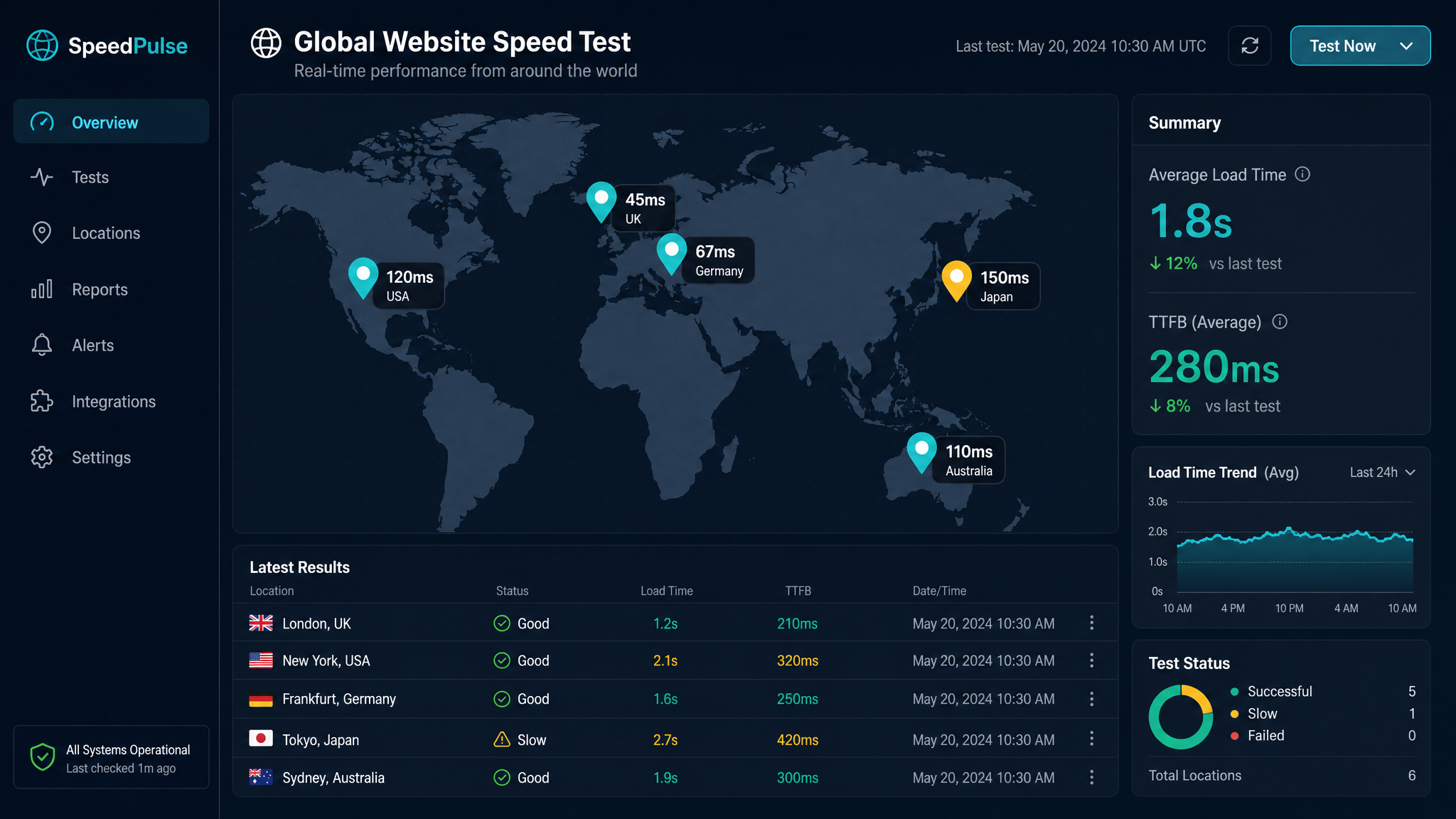
Free ebook: The Free SEO Stack
Keyword research without paying for Ahrefs — the complete guide. Read it online or download the PDF.
100% free · No spam · Unsubscribe any time
Ever had that sinking feeling when your brilliantly-designed website loads like treacle in Toronto, but zips along in Zurich? Welcome to the wild world of global site speed. This guide will show you how to measure your website’s speed worldwide, why it matters for SEO and user experience, and how to wield an internet speed analyzer like a pro (not just guess and hope for the best).
Why Measuring Site Speed Globally Actually Matters
Here’s what most people miss: your website doesn’t load the same for everyone, everywhere. A site that’s lightning-fast for you (sat gleefully near your hosting server) might crawl for a user half a world away. Google knows this. Your users feel it. And both will punish you for it, one with lower rankings, the other with a back button.
Think of a global speed test like a world tour for your website—except you get all the feedback, none of the jet lag.
How Does an Internet Speed Analyzer Work?
An internet speed analyzer is like the pit crew in Formula 1: it tells you exactly how your site is performing, where it’s sluggish, and what’s slowing it down. It runs tests from different locations, simulating real users accessing your site from Sydney, Singapore, or Slough.
Key Metrics You’ll See
Worked Example: Measuring Site Speed in Real Numbers
Let’s say you’re running a global e-commerce store. You test your homepage with an internet speed analyzer from three locations:
| Location | Load Time (seconds) | Load Time (ms) | TTFB (ms) |
|---|---|---|---|
| London | 1.2 | 1,200 | 180 |
| New York | 1.6 | 1,600 | 240 |
| Sydney | 3.8 | 3,800 | 450 |
In imperial terms, let’s break it down: 1,200ms is about 1.2 seconds – roughly the time it takes to blink twice. But 3,800ms? That’s nearly 4 seconds—a long, awkward silence online. If your Sydney users have to wait that long, you’re basically inviting them to make tea (and never come back).
How to Measure Site Speed Globally (Step by Step)
Pro Tip
Don’t just test your homepage. Product pages, blogs, and checkout flows can all bottleneck differently. It’s like checking your car’s speed on the motorway, but never bothering with city traffic—short-sighted and likely to end in disaster.
Comparison: Popular Internet Speed Analyzers
| Tool Name | Free Version? | Test Locations | Key Features |
|---|---|---|---|
| KeywordNumbers | Yes | Global | Multiple endpoints, easy export |
| Pingdom | Limited | Global | Uptime + performance |
| GTmetrix | Yes | 7+ | Detailed waterfall, LCP |
| WebPageTest | Yes | 30+ | Deep diagnostics |
For a no-fuss, genuinely free option, try the KeywordNumbers Internet Speed Analyzer. You’ll get instant results, exportable reports, and you don’t have to hand over your email just to see your own data.
What Slows Down Your Site for Global Audiences?
Bet you didn’t realise: it’s often not your site’s design, but where your files are parked. Hosting in one country means users in another have to wait for every image and script to cross borders—like ordering a pizza from 5,000 miles away. Common culprits:
Questions People Are Actually Asking
How to check site speed?
Use a site speed tester or an internet speed analyzer. Simply pop in your URL, pick test locations, and you’ll get a breakdown of load times, TTFB, and more. No technical skills required—if you can copy and paste, you’re qualified.
How much traffic does a website measure?
A speed analyzer doesn’t measure traffic (that’s Google Analytics’ job). It measures how fast your site loads for visitors. If you want to see how many people visit your site, check your analytics dashboard, not your speed tool.
How fast is my site?
That depends on where you (and your users) are. Use an internet speed analyzer to test your site from multiple locations. Under 2 seconds is considered good; over 3 seconds, and you’re losing visitors faster than you can say “bounce rate.”
How to measure speed of internet?
To check your own connection, use an internet speed tester (just Google ‘internet speed test’). To test your website’s speed globally, use a site speed analyzer that simulates users from around the world.
Why does my website load faster for me than for others?
Because you’re closer to the server (or your browser has cached files). For someone across the globe, every file travels further—think of it as the digital version of long-haul post. A CDN can help by storing copies of your site closer to users.
What’s a good site speed target for SEO?
Aim for under 2 seconds for key pages in all your main markets. Google’s Core Web Vitals focus on real user experience, not just the best-case scenario. Faster is better, but don’t obsess over shaving off every last millisecond if it wrecks usability.
Do free speed analyzers work as well as paid ones?
Mostly, yes. Free tools like KeywordNumbers and WebPageTest give you all the basics—load time, TTFB, LCP, and more. Paid tools may offer extra bells and whistles (alerting, historical data), but for most SEOs and site owners, free does the job nicely.
Conclusion: Don’t Let Distance Kill Your Site Speed
You wouldn’t open a shop with one door at the end of a winding alley, so don’t let your website be the digital equivalent. Test your site’s speed globally, fix what’s slow, and keep both Google and your users happy. Ready to see how your site shapes up worldwide? Try the KeywordNumbers Internet Speed Analyzer now—no sign-up, no faff, just fast answers.
Free tools to put this into practice
Reading is one thing — testing your own pages is what moves the needle. Here are the free KeywordNumbers tools that pair best with this guide:
Every one of our free SEO tools is genuinely free to use, with no sign-up required.
Free ebook: The Free SEO Stack
Keyword research without paying for Ahrefs — the complete guide. Read it online or download the PDF.
- Which free tools replace Ahrefs, SEMrush & Moz
- Step-by-step keyword research workflow
- How to find content gaps without paying a penny
- The exact stack KeywordNumbers is built on
100% free · No spam · Unsubscribe any time
Ready to research your keywords?
Try our free keyword tools — no signup required.