Meta Tag Analyser API: The Secret Sauce to SERP-Ready Pages (Without the Guesswork)
Print / Save as PDFInsider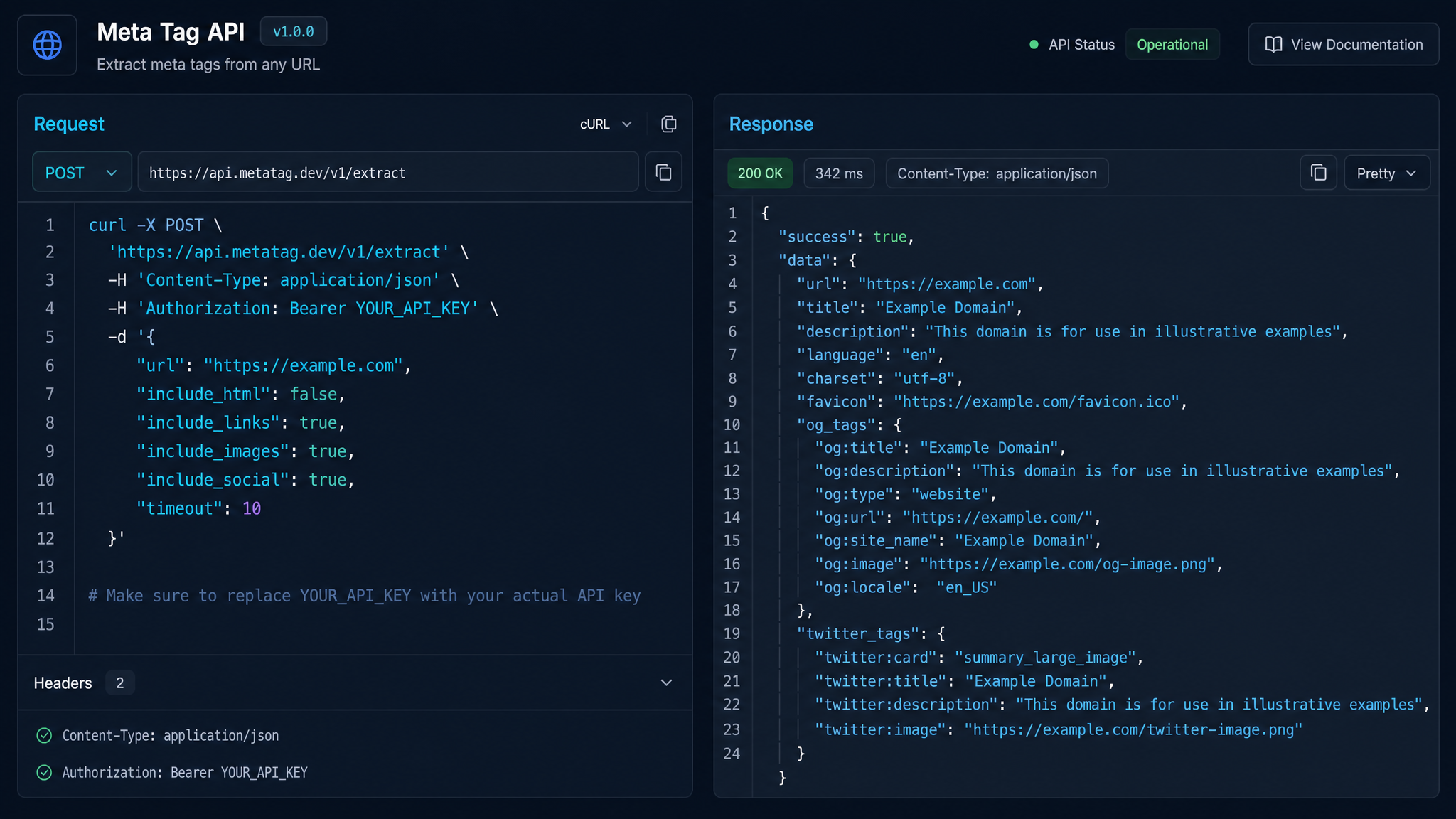
Free ebook: The Free SEO Stack
Keyword research without paying for Ahrefs — the complete guide. Read it online or download the PDF.
100% free · No spam · Unsubscribe any time
Ever agonised over your meta tags, only to have Google re-write your lovingly crafted description like a bored editor with a red pen? Welcome to the club. But here’s the exit: a meta tag analyser API does the heavy lifting, so you can finally stop guessing and start ranking.
In this guide, I’ll walk you through exactly what a meta tag analyser API is, how it works, and—crucially—how to use one to take your SEO from ‘hope and pray’ to ‘confidently clicking publish’. We’ll even put one through its paces with a real-world example. Ready to make your on-page optimisation boringly reliable? Let’s get into it.
What Is a Meta Tag Analyser API (And Why Should You Care)?
If meta tags are the name tags at the SEO party, a meta tag analyser API is the mate who tells you if you’ve got spinach in your teeth before you walk in. It’s an automated tool that scans your web page (or many at once) and reports on your meta tags—title, description, robots, Open Graph, Twitter Cards, the works.
Not Just for the Techies
Don’t let the “API” bit scare you off. Sure, it stands for Application Programming Interface, but in plain English: it’s a tool you (or your favourite SEO app) can use to check your meta tags at scale. Think of it as having a spellchecker, but for your page’s search snippets.
And if you’d rather not muck about with code, you can use a friendly meta tag analyser tool like this one that does the same checks in your browser—no command line required.
Meta Tag Basics: What Are You Actually Checking?
Here’s what most people miss: meta tags aren’t just decorative. They’re the mini-billboards for your page in the SERPs. Mess them up, and Google either ignores you or—worse—rewrites your tags with something that makes you sound like a robot at a networking event.
The big three you need to know:
How a Meta Tag Analyser API Actually Works
Imagine you’re batch-cooking pages for a 200-product e-commerce shop. Checking each one by hand? About as fun as alphabetising soup. A good meta tag analyser API lets you:
For non-coders, the online meta tag analyser here offers this in a click—no API key or developer needed.
Worked Example: Detecting Meta Tag Issues (With Real Numbers)
Let’s say you’re reviewing your blog homepage. Here’s what you find:
| Meta Tag | Your Content | Best Practice | Result |
|---|---|---|---|
| Title | How to Bake Bread That Doesn’t Suck — A Complete Guide | Up to 60 characters (580px) | 61 chars — 1 too many |
| Description | The ultimate beginner’s guide to baking fluffy bread, no experience required. | Up to 160 chars (920px) | 93 chars — all good |
Now, in imperial: 580 pixels is roughly 22.8 inches on a standard monitor (assuming 25.4 pixels per inch). In metric, that’s about 58 centimetres. Not that anyone is holding a ruler up to their screen, but it puts those pixel numbers into perspective.
A meta tag analyser API (or the meta tag checker tool) would flag that title tag as too long, risking truncation in the SERP. You’d trim a word or two and re-run the check—done in seconds, not hours.
API vs Browser Tools: Which Should You Use?
Bet you didn’t realise: You don’t need to be a developer to reap the benefits. Here’s the scorecard:
| Tool Type | Pros | Cons |
|---|---|---|
| API (for devs/apps) | Automate checks; bulk scan; integrate | Coding required; setup time |
| Online analyser | No coding; instant feedback; free | Manual; one page at a time |
If you’re managing a handful of pages, the web-based meta tag analyser is all you need. For big sites or if you’re building SEO into your workflow, the API route is worth a look.
Why Meta Tag Analysis Matters for SERP Performance
Think of meta tags as your shop window. If your display is messy, too crowded, or missing price tags, people keep walking. A meta tag analyser API ensures:
Questions People Are Actually Asking
What is meta API?
A meta API is an interface that lets you automatically check, extract, and validate meta tags from web pages at scale. It’s a tool for developers or apps to analyse metadata—like titles and descriptions—without manual copy-paste.
What is meta tag?
A meta tag is a snippet of code in your web page’s
section that gives search engines (and sometimes social platforms) extra info about your page. Think of them as invisible signs pointing to what the page’s about.What is a meta description tag?
The meta description tag is a specific meta tag that provides a brief summary of your page’s content. Search engines often (but not always) use it as the descriptive snippet below your page title in results—ideally 150-160 characters long.
How do I check my meta tags?
You can check your meta tags using a browser inspector, SEO plugins, or a dedicated online meta tag analyser tool that scans your page and reports on what’s present and missing.
Why are my meta tags not showing in search results?
Search engines sometimes ignore your meta tags if they’re too long, poorly written, duplicated, or if the page content doesn’t match. Google often rewrites meta descriptions to better match the user’s search intent.
Is it necessary to update meta tags regularly?
Absolutely. As your content, keywords, or target audience changes, your meta tags should reflect those shifts. Regularly reviewing them with a meta tag analyser tool helps maintain relevance and click-through rates.
Can I automate meta tag analysis for multiple pages?
Yes. That’s where a meta tag analyser API shines—it lets you scan large batches of URLs in one go, ideal for bigger sites or agencies managing many clients.
Conclusion: Stop Guessing, Start Ranking
Meta tags aren’t glamorous, but they’re the first thing anyone (including Google) sees. With a meta tag analyser API—or a solid online checker—you’re not just ticking a box. You’re making sure every page puts its best foot forward in the search results, every time.
Ready to see what Google sees? Try the free meta tag analyser tool and give your SERP snippets a fighting chance.
Free tools to put this into practice
Reading is one thing — testing your own pages is what moves the needle. Here are the free KeywordNumbers tools that pair best with this guide:
Every one of our free SEO tools is genuinely free to use, with no sign-up required.
Free ebook: The Free SEO Stack
Keyword research without paying for Ahrefs — the complete guide. Read it online or download the PDF.
- Which free tools replace Ahrefs, SEMrush & Moz
- Step-by-step keyword research workflow
- How to find content gaps without paying a penny
- The exact stack KeywordNumbers is built on
100% free · No spam · Unsubscribe any time
Ready to research your keywords?
Try our free keyword tools — no signup required.