SEO Browser Plugins Comparison: Which Chrome Extension Actually Saves Your Bacon?
Print / Save as PDFInsider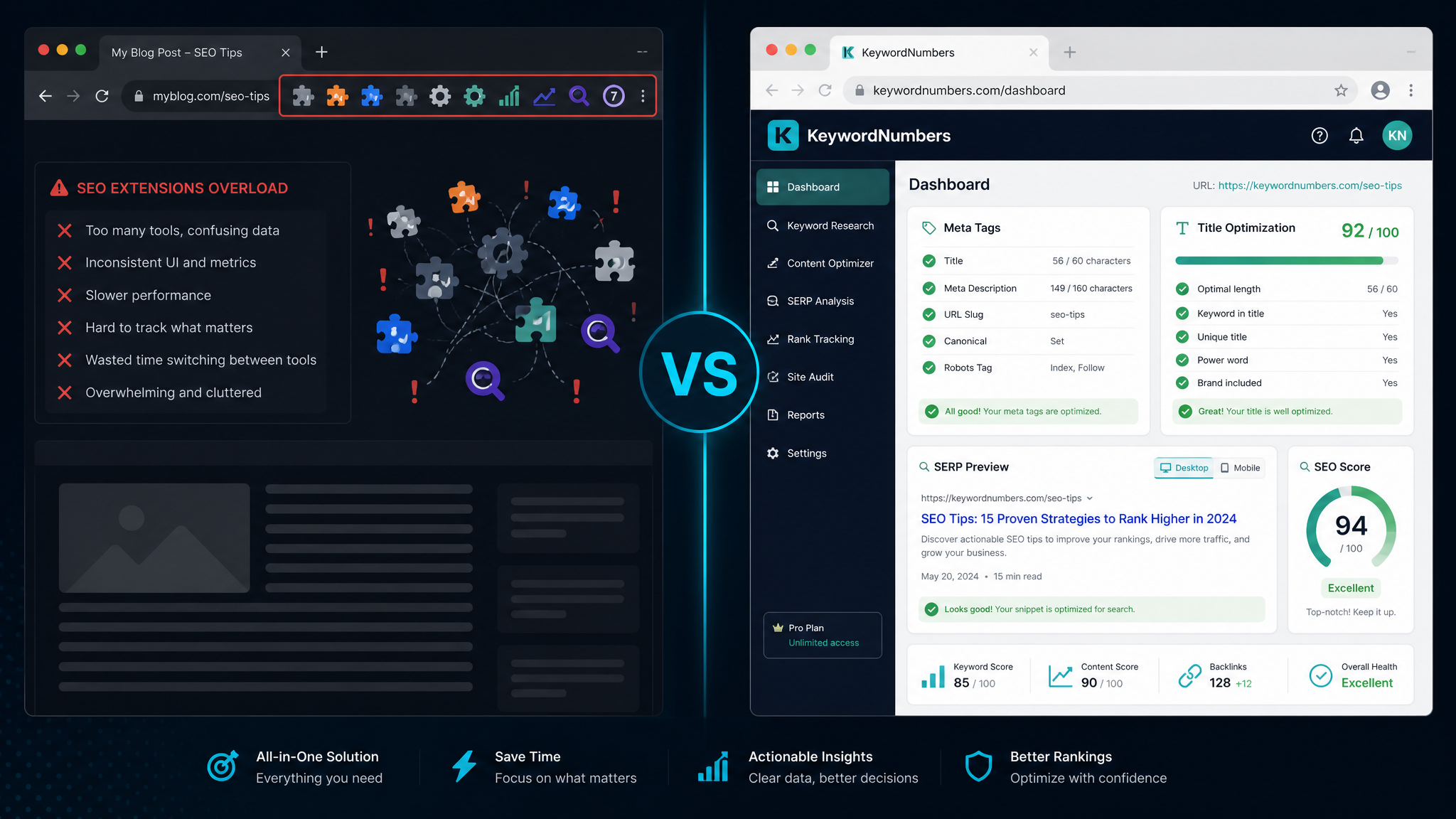
Free ebook: The Free SEO Stack
Keyword research without paying for Ahrefs — the complete guide. Read it online or download the PDF.
100% free · No spam · Unsubscribe any time
Every few months another SEO browser extension pops up promising to turn your Chrome toolbar into a mission control for search rankings. MozBar, the Ahrefs SEO Toolbar, Keywords Everywhere, SEOquake, Detailed SEO Extension — they all make the same pitch: click a button, get instant SEO data on whatever page you're looking at.
Some of them are genuinely handy. But if you've ever installed four of them at once, you already know the downside: a cluttered toolbar, yet another login, a "free trial" that quietly turns into a subscription, and a browser that feels like it's wading through treacle. A few of them also want permission to read every page you visit, which is a lot to hand over for a keyword count.
This is an honest look at what those extensions actually do for you — and how the free web tools at KeywordNumbers cover the same jobs with nothing to install, no account, and no subscription creeping up on you.
What you actually want an SEO extension to do
Strip away the branding and almost every SEO browser plugin exists to answer a handful of practical questions about a page:
You don't need seven separate extensions for that. You need a small set of reliable tools you can reach in a couple of clicks. That's exactly what we built.
The free web tools that do the extension's job
Here's the honest mapping — the everyday extension task on the left, the free KeywordNumbers tool that does the same job on the right. No install, no sign-up, no caps.
| The job you'd use an extension for | Free KeywordNumbers tool |
|---|---|
| See a page's title tag & meta description, and check the length | Meta Tag Analyser |
| Optimise the title tag itself (length, keyword placement) | Title Tag Analyser |
| Preview how the page looks in Google results | SERP Preview |
| Check on-page keyword usage and spot stuffing | Keyword Density Checker |
| Get related keyword ideas with estimated volumes | AI Keyword Ideas |
| Find out why a page is slow | Page Speed Analyser |
| See the slowest files dragging a page down | Slow Resource Finder |
| Inspect the HTTP response headers | HTTP Header Checker |
| Check robots.txt rules | Robots.txt Tester |
| Preview the social share card | OG Preview |
Every one of those opens in a browser tab, works on any device — yes, including the phone where you can't install a Chrome extension anyway — and never asks you to create an account.
On-page checks without the toolbar clutter
The single most common reason people install an SEO extension is to eyeball a page's title and meta description. That's what MozBar and the Detailed SEO Extension are best known for.
Paste any URL into the Meta Tag Analyser and you get the title tag, meta description, their exact character lengths (with the ideal 50–60 and 155–160 ranges flagged), plus the Open Graph and Twitter Card tags — the same at-a-glance picture, in a tab you can actually read and copy from.
Writing or fixing the title itself? The Title Tag Analyser scores length and keyword placement and shows you a live Google preview, and the SERP Preview tool lets you tweak the wording until the snippet reads well before you ever publish.
Keyword data without a browsing tracker
Keywords Everywhere and Keyword Surfer built their reputations on sprinkling search volumes over the pages you browse. It's a slick trick — but it means an extension is watching what you look at, and the free versions are increasingly capped or paywalled.
The AI Keyword Ideas tool does the useful half of that on demand: type a seed keyword, get relevant UK keyword ideas with estimated search volumes, no sign-up and no caps. And when you want to check how heavily an actual page leans on a phrase, the Keyword Density Checker breaks down frequency as a percentage so you can catch keyword stuffing before Google does.
A quick, honest note we make everywhere on this site: search volumes from any tool — ours, Ahrefs', Google's — are estimates, not gospel. We'd rather you treat them as a guide than pretend we've got a magic pipe into Google's servers.
Speed and technical checks, on any page
The heavier SEO toolbars bolt on page-speed and technical readouts too. You can get those without the browser tax:
Comparing anything, side by side
If your real question is "which of these should I actually use?" — whether that's two SEO tools, two hosting plans or two rival products — the Comparison Tool builds a clean feature-and-pricing matrix with pros, cons and a plain-English verdict for any category you throw at it.
When a browser extension still earns its place
Let's be fair: extensions aren't the enemy. If you audit hundreds of pages a week and want an SEO readout to appear automatically as you browse, a good extension is a genuinely nice bit of kit, and some of the paid ones pull in link and ranking data that a free web tool simply won't have.
The point isn't that extensions are bad. It's that for the vast majority of people — small business owners, bloggers, freelancers, marketers doing a handful of checks a day — you do not need to hand over a login, a subscription and your browsing history to get the job done. A free tool in a browser tab is faster to reach, works on your phone, and costs you nothing.
A zero-install SEO workflow
Here's how to cover the same ground an extension would, in about five minutes and without installing a thing:
Bookmark that lot and you've replaced most of a bloated toolbar with tabs you open only when you need them.
Questions people are actually asking
Do I need to install anything to use these tools?
No. Every tool at KeywordNumbers runs in a normal browser tab — no extension, no download, no account. That also means they work on a phone or tablet, where Chrome extensions aren't an option at all.
Are the KeywordNumbers tools really free?
Yes. There's no sign-up, no trial that flips into a subscription, and no daily cap on the core tools. We make our living by being the free, no-nonsense option people bookmark and come back to.
Can a free web tool really replace an SEO browser extension?
For everyday checks — titles, meta descriptions, SERP previews, keyword usage, page speed, headers — yes, comfortably. Where paid extensions still lead is bulk link and ranking data pulled from their own crawlers. We're honest about that: use the right tool for the size of the job.
Is it safe to give an SEO extension access to my browsing?
Many SEO extensions request permission to read the pages you visit so they can overlay data. That's fine if you trust the developer, but it is a real privacy trade-off. Reaching for a web tool only when you need it means nothing is watching your browsing in the background.
Which tool should I start with?
If you do one thing, run a page through the Meta Tag Analyser. It answers the question extensions get installed for most often — "are my title and description right?" — in a couple of seconds, and there's nothing to set up.
Related searches this guide covers
If you're looking to compare keyword tools UK marketers trust, our comparison tool makes it easy to see the differences between top keyword research tools UK-wide. Whether you want to find the best free keyword tools UK businesses use or need a detailed keyword tool comparison UK professionals rely on, you can instantly review features, pricing, and more for all major UK SEO keyword tools.
You can run any of these directly with our free Comparison Tool.
Weighing up Moz? Compare it first
Before you commit to a paid plan, it is worth seeing what else is out there. Read our full guide to the best Moz alternative tools — the free and paid options UK marketers actually use.
Free ebook: The Free SEO Stack
Keyword research without paying for Ahrefs — the complete guide. Read it online or download the PDF.
- Which free tools replace Ahrefs, SEMrush & Moz
- Step-by-step keyword research workflow
- How to find content gaps without paying a penny
- The exact stack KeywordNumbers is built on
100% free · No spam · Unsubscribe any time
Ready to research your keywords?
Try our free keyword tools — no signup required.