SEO Meta Tag Checker: The Quick Scan That Stops Google Guessing Your Page’s Story
Print / Save as PDFInsider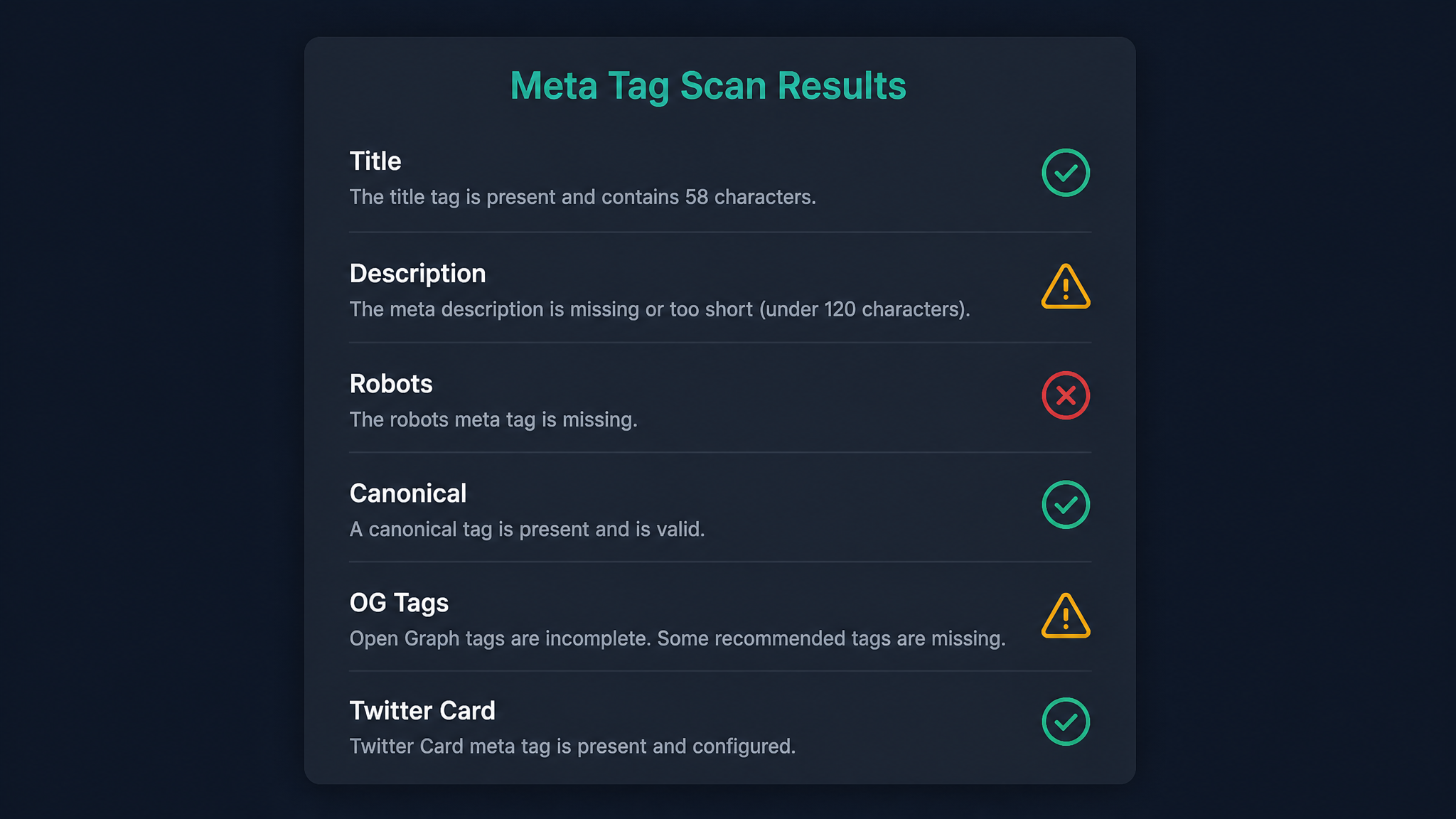
Free ebook: The Free SEO Stack
Keyword research without paying for Ahrefs — the complete guide. Read it online or download the PDF.
100% free · No spam · Unsubscribe any time
Ever written a page title that felt like Shakespeare, only to see Google carve it up like leftover roast? That’s the pain of ignoring your meta tags—and why a good SEO meta tag checker is as vital as a spellchecker for your on-page SEO. Today, you’ll see why meta tags matter, how to analyse them (without going cross-eyed), and how to fix the usual blunders that cost you clicks and rankings.
What is a Meta Tag Checker (and Why Should You Care)?
Here’s what most people miss: your meta title and description aren’t just digital window dressing. They’re the shop window AND the sales pitch—rolled into two lines. If they’re broken, missing, or running wild with characters, Google will step in and rewrite them. No exceptions for “but mine’s really good.”
A meta tag analyser is basically a personal trainer for your metadata. Paste in your URL and it’ll:
Think of it as a fitness tracker for your page’s first impression. You wouldn’t run a marathon in wellies—don’t let your content limp onto Google with broken meta tags.
Why Meta Tags Still Matter in 2024
Meta tags aren’t some dusty relic from 2007. They still:
If your meta title is the headline in a newspaper, the meta description is the little blurb that convinces you to read on. Get them wrong and it’s like selling a Ferrari with the windows spray-painted.
How an SEO Meta Tag Checker Works (With a Real Example)
Let’s get concrete. Say you’ve got a product page with this meta title:
Buy Blue Running Shoes | Lightweight Trainers for Men & Women | ShoeCo UK
And the meta description:
Discover our range of blue running shoes—breathable, durable, and ready for the track. Free shipping across the UK. Shop now!
Here’s how an SEO meta tag checker breaks it down:
| Tag | Characters | Recommended Limit |
|---|---|---|
| Meta Title | 75 | 50–60 |
| Meta Description | 109 | 150–160 |
If you’re working in metric, that’s 75 characters in the title (roughly 15cm of screen real estate at standard font sizes); for our imperial friends, that’s a smidge under 6 inches. Either way, run your page through this free meta tag checker and you’ll get an instant preview—snip, fix, done.
Common Meta Tag Sins (And How To Avoid Them)
Bet you didn’t realise how easy it is to trip up your SEO with something as simple as meta tags. Watch out for:
A quick run through a meta tag analyser spots these slip-ups before they cost you visitors.
How to Use Meta Tags for SEO (Without Going Mad)
Meta tags aren’t magic, but they are your first handshake with both Google and your users. Here’s a quick recipe:
Questions People Are Actually Asking
How to use meta tags for SEO?
Meta tags tell search engines what your page is about and tempt users to click. Use your main keyword in the title and description, keep within the recommended character limits, and make sure each page’s tags are unique and relevant. A meta tag checker makes this process painless.
What does a meta tag analyser check for?
A meta tag analyser scans your page for the presence, length, and content of your meta title and description. It flags missing, duplicate, or overlong tags, previews your SERP snippet, and often checks for technical tags (like robots or viewport) that affect how your page is indexed and displayed.
Why is my meta description not showing in Google search?
Google sometimes rewrites meta descriptions if yours is missing, too long, irrelevant, or stuffed with keywords. To keep control, write a unique, relevant description for each page and stay within 150–160 characters.
What is the ideal length for meta titles and descriptions?
Aim for 50–60 characters for meta titles and 150–160 characters for meta descriptions. This avoids awkward truncation in most browsers and devices. Use a meta tag checker for accurate measurement.
Can duplicate meta tags hurt my SEO?
Yes. Duplicate meta tags confuse search engines and can dilute ranking signals. Every important page should have its own unique title and description—no “copy and paste” shortcuts.
Are meta keywords still important for SEO?
No. Meta keywords were phased out by major search engines years ago due to rampant abuse. Focus on your title and description tags for SEO impact.
How do I check my meta tags?
Use an online meta tag analyser. Enter your page URL and it’ll show your live meta tags, highlight any errors, and preview your search snippet. You can also view source code, but let’s be honest—life’s too short for that.
Conclusion
Meta tags are the unsung heroes of SEO—tiny, but mighty. Don’t let Google (or your competitors) decide how your page shows up. Spend five minutes with a free meta tag checker, fix the basics, and watch your click-throughs rise. Remember: in SEO, it’s the small tweaks that often make the biggest difference.
Free tools to put this into practice
Reading is one thing — testing your own pages is what moves the needle. Here are the free KeywordNumbers tools that pair best with this guide:
Every one of our free SEO tools is genuinely free to use, with no sign-up required.
Free ebook: The Free SEO Stack
Keyword research without paying for Ahrefs — the complete guide. Read it online or download the PDF.
- Which free tools replace Ahrefs, SEMrush & Moz
- Step-by-step keyword research workflow
- How to find content gaps without paying a penny
- The exact stack KeywordNumbers is built on
100% free · No spam · Unsubscribe any time
Ready to research your keywords?
Try our free keyword tools — no signup required.