Website Speed Audit Report Generator: The Internet Speed Analyser for SEOs Who Like Their Sites Fast
Print / Save as PDFInsider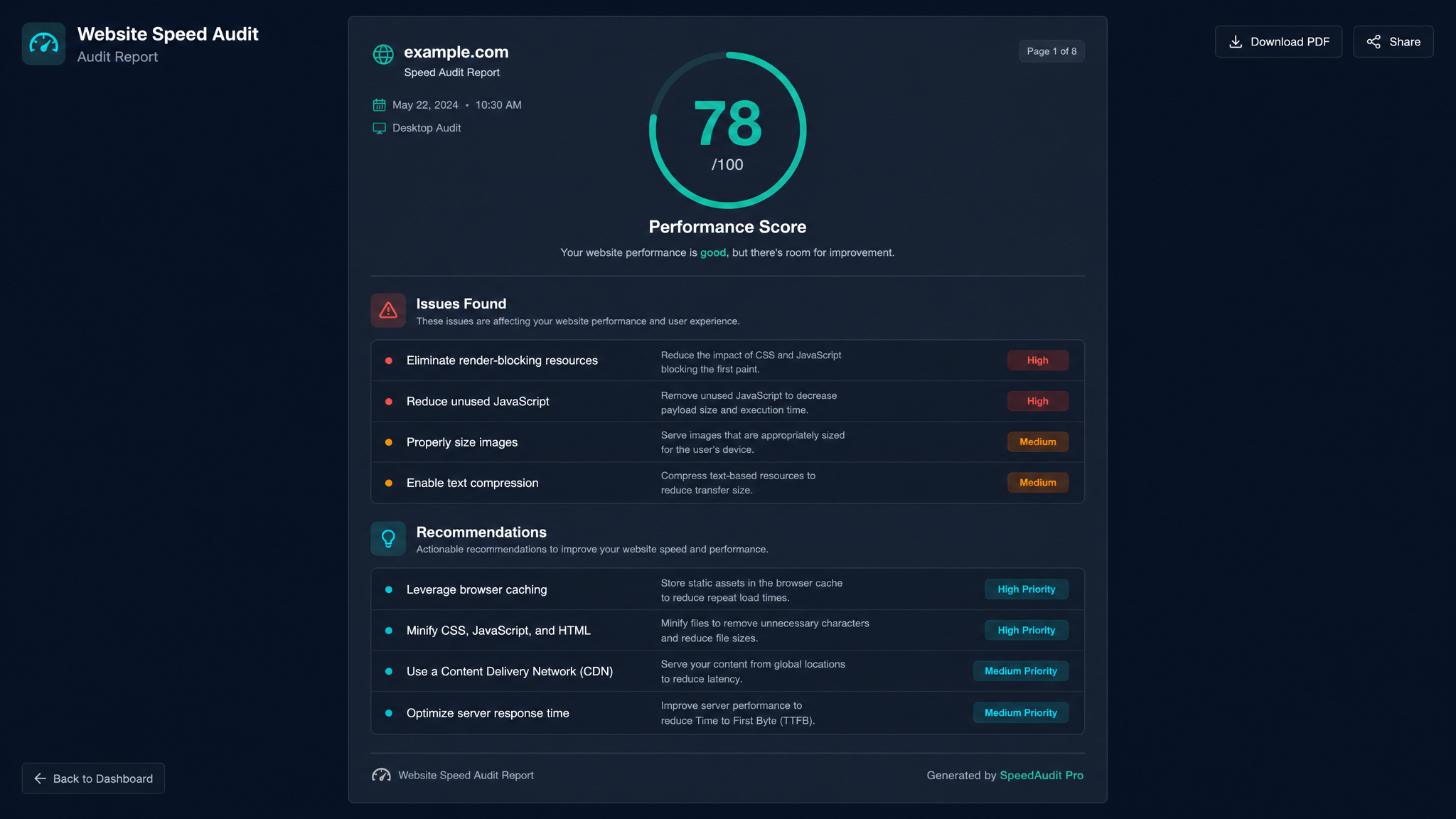
Free ebook: The Free SEO Stack
Keyword research without paying for Ahrefs — the complete guide. Read it online or download the PDF.
100% free · No spam · Unsubscribe any time
Ever had that sinking feeling when you click your own website and it dawdles onto the screen like it’s wading through treacle? You’re not alone, and—bad news—your visitors aren’t waiting around. Today, you’ll learn how a website speed audit report generator (yes, that mouthful) paired with an internet speed analyser can help you spot, diagnose, and fix your site’s slow spots—before Google and your users give up on you.
Why Site Speed Isn’t Just a ‘Nice to Have’
Let’s get this out of the way: a slow site is like a shop with a locked door—no one hangs around to see if you’ll open up. Google’s Core Web Vitals and your bounce rate both care about speed, no exceptions for “but my design is really pretty.”
So, if you want better rankings, happier users, and more sales, you need to know how slow is too slow—and where the real problems are. That’s where a speed audit report generator and internet speed analyser come in.
What Is a Website Speed Audit Report Generator (and Why Should You Care)?
Here’s the analogy: a website speed audit report generator is your digital pit crew. It runs a full diagnostic on your site, pops the hood, and tells you exactly which parts need a tune-up. Unlike random guesswork or “I think it’s fine on my Wi-Fi,” these tools:
Think of it as a sat nav for site optimisation—pointing you straight to the traffic jams.
Want to see it in action? Try our free Website Speed Test tool for instant, actionable feedback.
How an Internet Speed Analyser Fits Into the Picture
Bet you didn’t realise: your own internet connection can skew what you think your website’s speed is. If you’re testing on ultra-fast fibre, your site might feel fine—while your customers on plain old broadband are twiddling their thumbs.
An internet speed analyser lets you:
Want to test your connection? Use our free Internet Speed Test and see if your broadband is pulling its weight.
How to Audit Your Website for Speed: Step-by-Step
Here’s what most people miss: a proper speed audit isn’t just “run a test and hope for the best.” Let’s break it down:
Worked Example: Real Numbers, Real Results
Let’s say you run a speed audit on a mid-sized e-commerce homepage. Here’s what you find:
| Metric | Before Fix | After Fix | Notes |
|---|---|---|---|
| First Contentful Paint | 2.8s | 1.4s | Halved by optimising CSS |
| Time to Interactive | 5.2s | 2.7s | Lazy-loaded images |
| Page Size | 3.6 MB | 1.2 MB | Compressed images/scripts |
| Requests | 82 | 41 | Combined/minified scripts |
| Speed Index | 4,800ms | 2,200ms | All improvements combined |
Whether you prefer metric or imperial, the numbers don’t lie—cutting page size from 3.6 MB (that’s about 3,686 KB) to 1.2 MB (1,229 KB) is like replacing a lorry with a nippy Mini Cooper. Less to haul, faster to deliver, everyone’s happier.
What Should You Look For in a Speed Audit Tool?
Not all speed tools are created equal. Here’s your shopping list:
You’ll find all that and more in the KeywordNumbers Website Speed Test—because we built it for people who can’t stand slow or confusing tools.
Questions People Are Actually Asking
How do I audit my website for speed?
Run your site through a reputable speed audit tool (like the KeywordNumbers Website Speed Test). You’ll get a detailed report with metrics like load time, bottlenecks, and practical tips to fix them. For best results, test on both desktop and mobile, and from different locations if you have an international audience.
What’s the difference between a website speed audit generator and an internet speed analyser?
A website speed audit generator measures how fast your site loads for users, pinpointing site-specific issues. An internet speed analyser measures your connection speed, helping you separate site problems from local network hiccups. Think of the first as a mechanic for your site, and the second as a speedometer for your broadband.
Why does my site feel fast to me but slow to others?
If you’re testing from a fast connection or your browser has cached the site, it’ll always seem snappy. First-time visitors, mobile users, or those on slower connections will often see the real (slower) speeds. Always test in incognito/private mode and use tools that allow you to simulate various speeds.
How often should I do a website speed audit?
At least quarterly, or after any major site changes—new plugins, big design tweaks, or a hosting switch. Continuous improvement is the name of the game; don’t wait until conversions tank or Google sends you a warning.
Can a speed audit help my SEO?
Absolutely. Google’s ranking algorithms care deeply about user experience and speed (see: Core Web Vitals). Fixing speed issues can lead to better rankings, lower bounce rates, and higher conversions.
What if my own internet speed is slow—is the audit still accurate?
A slow personal connection can make every site look sluggish. Use an internet speed analyser first to check your own speeds (try the KeywordNumbers Internet Speed Test). For website audits, rely on cloud-based tools that test from fast, neutral servers—not just your own device.
Does it matter if my site’s fast on desktop but slow on mobile?
Yes—Google indexes mobile-first, and most users now visit from phones. Your site needs to be fast on both. Speed audits should always test both versions separately.
Wrapping Up: Don’t Let Slowness Steal Your Thunder
If your website’s slow, you’re leaving money (and visitors) on the table. Luckily, you don’t need a computer science degree or a crystal ball. Just a solid website speed audit report generator and a quick internet speed check.
Ready to see where your site stands? Run a free website speed audit now and start turning slow into “whoa, that’s quick.”
Free tools to put this into practice
Reading is one thing — testing your own pages is what moves the needle. Here are the free KeywordNumbers tools that pair best with this guide:
Every one of our free SEO tools is genuinely free to use, with no sign-up required.
Free ebook: The Free SEO Stack
Keyword research without paying for Ahrefs — the complete guide. Read it online or download the PDF.
- Which free tools replace Ahrefs, SEMrush & Moz
- Step-by-step keyword research workflow
- How to find content gaps without paying a penny
- The exact stack KeywordNumbers is built on
100% free · No spam · Unsubscribe any time
Ready to research your keywords?
Try our free keyword tools — no signup required.