Website Speed Optimization Tips: Why an Internet Speed Analyzer Is Your Secret Weapon
Print / Save as PDFInsider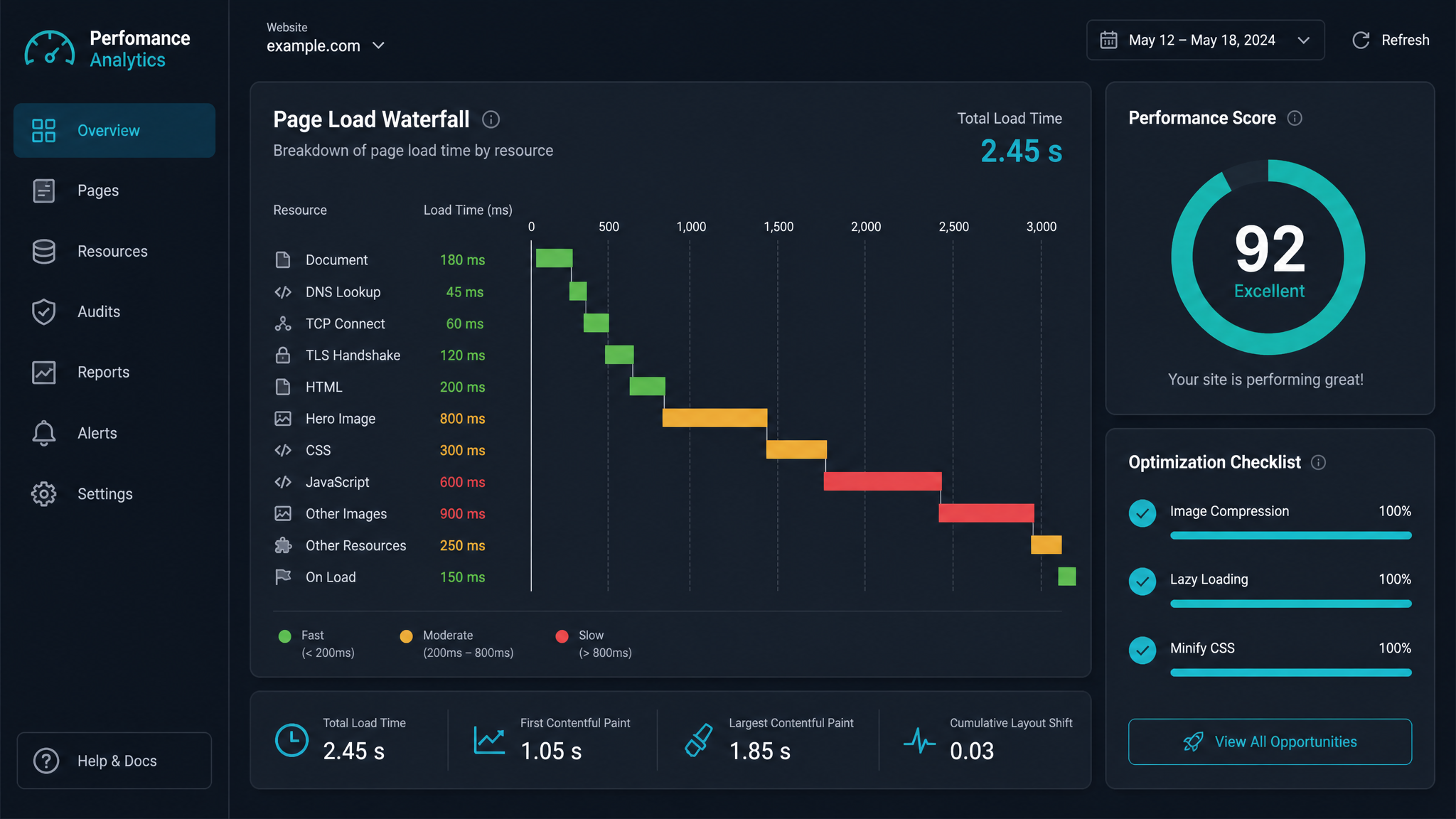
Free ebook: The Free SEO Stack
Keyword research without paying for Ahrefs — the complete guide. Read it online or download the PDF.
100% free · No spam · Unsubscribe any time
Ever clicked on a website, watched the loading bar crawl along at a snail’s pace, and thought: “Life’s too short for this nonsense”? You’re not alone. Page speed isn’t just about user patience—Google’s been quietly judging your site for it too. Today, you’ll learn the best website speed optimization tips, how to use an internet speed analyzer (think: your site’s personal pit stop crew), and why ignoring this stuff is like driving with the handbrake on.
What is an Internet Speed Analyzer (And Why Should You Care)?
Let’s clear up the jargon fog: an internet speed analyzer is like a speed gun for your website. It checks how quickly your pages load, tests your server’s reflexes, and tells you if your users are stuck in the digital slow lane. Want to see what’s actually causing the holdup? Try KeywordNumbers’ free Website Speed Test tool — it’s the equivalent of popping the bonnet and checking the engine, minus the oily hands.
Why Website Speed Matters (Hint: It’s Not Just for Techies)
Here’s what most people miss: website speed isn’t just a technical checkbox. It’s the difference between a visitor sticking around or bouncing off faster than you can say “buffering”.
7 Website Speed Optimization Tips That Actually Move the Needle
Ready to put your site on a diet and get it sprinting?
Worked Example: Measuring Speed Gains
Let’s put this into perspective. Suppose your homepage currently loads in 6.0 seconds (measured by KeywordNumbers’ Website Speed Test). You compress images, minify scripts, and switch to a CDN. After changes:
| Step | Before | After |
|---|---|---|
| Load Time (seconds) | 6.0 | 2.5 |
| Page Size (MB) | 3.2 | 1.1 |
| Requests | 80 | 32 |
That’s a 58% reduction in load time. To put it in imperial and metric: you’ve just gone from a 6-second, 3.2MB page (roughly 3,200 kilobytes) to a 2.5-second, 1.1MB (1,100 kilobytes) experience. Translation: your users are no longer making a cuppa while your site loads.
How to Use an Internet Speed Analyzer (Step-by-step)
What About WordPress? (Don’t Worry, We’ve Got You)
WordPress sites are like Swiss Army knives—brilliant but sometimes a tad bloated. Use caching plugins (WP Rocket, W3 Total Cache), image optimisation plugins (ShortPixel, Smush), and keep your theme and plugins up to date. And yes, all the above tips still apply—just with more helpful plugins doing the heavy lifting.
Questions People Are Actually Asking
How to optimise website speed?
Start with image compression, minifying CSS/JS, enabling browser caching, and reducing server response times. Use a speed analyzer like KeywordNumbers’ Website Speed Test to spot bottlenecks, then tackle the worst offenders first.
How to optimise internet speed?
If you suspect your internet, not your website, is the weak link, check your connection using a speed test tool. Use Ethernet over Wi-Fi where possible, limit devices on your network, and reboot your router occasionally. Remember, a slow site can’t be fixed with a faster connection alone—both matter.
How to improve website speed?
Cut down on image sizes, streamline scripts and plugins, use a CDN, and enable caching. For WordPress, leverage performance-focused plugins. Always test with a speed analyzer after each change to see real-world gains.
How to optimise WordPress website speed?
Use caching (WP Rocket, W3 Total Cache), optimise images (Smush, ShortPixel), update everything to the latest versions, and don’t hoard plugins. Run a speed test and work through the biggest slowdowns first.
What causes a website to load slowly?
Common culprits: large uncompressed images, slow or overloaded servers, too many scripts/plugins, lack of caching, and no CDN. Sometimes it’s a combination—think of it as a relay race where the slowest runner loses it for everyone.
Do internet speed analyzers affect SEO?
Not directly—but using them regularly helps spot and fix speed issues, which absolutely affect your SEO rankings. Treat them like your SEO gym mirror: not changing the result, but showing you where the flab is.
How often should I test my website speed?
Best practice: after every major change—new theme, big plugin, or hefty content upload. At a minimum, test monthly. Speed can drift over time, so don’t just set and forget.
Conclusion: Ready to Turbocharge Your Website?
Website speed isn’t just for the nerds in the server room—it’s for anyone who wants more traffic, happier users, and a site that doesn’t get left in the dust. Grab a free Website Speed Test tool, see where you stand, and start making those quick wins. Speed isn’t everything, but it’s a very good start.
Free tools to put this into practice
Reading is one thing — testing your own pages is what moves the needle. Here are the free KeywordNumbers tools that pair best with this guide:
Every one of our free SEO tools is genuinely free to use, with no sign-up required.
Free ebook: The Free SEO Stack
Keyword research without paying for Ahrefs — the complete guide. Read it online or download the PDF.
- Which free tools replace Ahrefs, SEMrush & Moz
- Step-by-step keyword research workflow
- How to find content gaps without paying a penny
- The exact stack KeywordNumbers is built on
100% free · No spam · Unsubscribe any time
Ready to research your keywords?
Try our free keyword tools — no signup required.