Word Density Checker: The Secret Weapon for Spot-On SEO (and No More Waffling)
Print / Save as PDFInsider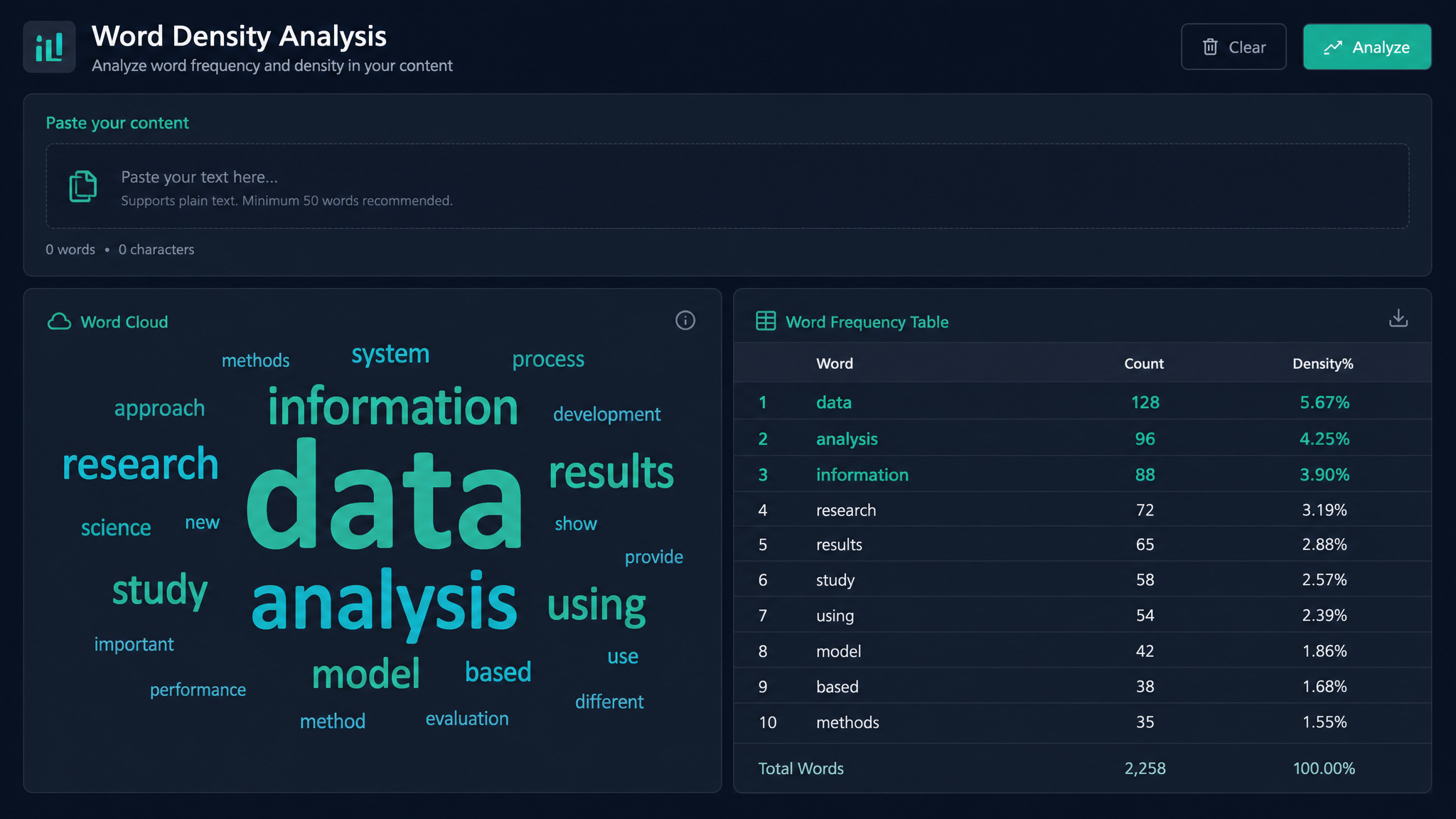
Free ebook: The Free SEO Stack
Keyword research without paying for Ahrefs — the complete guide. Read it online or download the PDF.
100% free · No spam · Unsubscribe any time
Ever wondered why some articles climb the Google ladder while others flounder at the bottom? Here’s the thing: it’s not just what you say, but how often you say it. Enter the word density checker—SEO’s answer to a chef’s kitchen scales. In this guide, you’ll learn how to measure, optimise, and never overstuff a page again (no exceptions for “but mine’s really good”).
What Is a Word Density Checker Anyway?
Let’s cut through the jargon: a word density checker counts how many times a word or phrase pops up in your text, then divides it by the total number of words. The result? Your keyword density, as a percentage. Think of it as the seasoning in your SEO stew—enough to taste, never so much it’s inedible.
Some tools go further, spotting your most-used words and phrases, so you can see if you’re accidentally repeating "bespoke solutions" until your readers (and Google) want to scream. For a quick way to check, try the online PDF word counter at KeywordNumbers—paste or upload your content and get instant results.
Why Does Word Density Matter?
Here’s what most people miss: overusing a keyword isn’t just bad manners, it’s a red flag for Google. Underuse, though, and you’re invisible. Keyword density is like Goldilocks’ porridge—too little, too much, or just right. The sweet spot? Usually between 1% and 2.5% for your main keyword, but don’t treat this like gospel. Google’s smarter than that—it sniffs out manipulation faster than you can say “latent semantic indexing.”
A word density checker acts like a speedometer—keeping you from crawling too slow or careening off a keyword cliff. As for your readers? They’ll thank you for content that’s clear, not clunky.
How to Check Word Density (With a Worked Example)
Let’s get our hands dirty. Imagine you’ve written a blog post about “organic coffee beans.” It’s 800 words long, and you’ve used “organic coffee beans” 12 times.
So your keyword density is 1.5%. Bang in the “just right” range.
Metric vs Imperial: Is Density Always a Percentage?
“Density” in SEO is always a percentage, regardless of whether you’re in the UK, US, or somewhere using cubits. For the curious: in science class, density = mass/volume (grams/cm³ or pounds/ft³). In SEO world, it’s keyword occurrences/total words × 100 (%). No need to convert—just count and calculate.
| Total Words | Keyword Uses | Keyword Density (%) |
|---|---|---|
| 1,200 | 18 | 1.5 |
| 500 | 7 | 1.4 |
| 2,000 | 40 | 2.0 |
If you want to check density for a whole PDF, you can use the Count Words in PDF tool for an instant breakdown.
Word Counter vs Density Checker: What's the Actual Difference?
Bet you didn’t realise: a word counter is your kitchen’s measuring cup—handy, but basic. It tells you how much you’ve written, nothing more. A word density checker is your spice rack and your taste tester rolled into one—it tells you if you’re heavy-handed with your keywords, or if you need another pinch.
Want both in one go? The KeywordNumbers online word and density checker gives you both totals and breakdowns in seconds.
How to Optimise Your Content Using a Word Density Checker
You’ve got your numbers—now what? Here’s how to use them:
Questions People Are Actually Asking
How to check density?
To check keyword density, use a word density checker tool. Paste your content into the tool (or upload your document), and it’ll calculate the percentage of times your chosen keyword appears in the text. No maths degree required.
How to test density?
Testing density just means running your text through a tool and looking at the results. You can use an online word and density checker for PDFs or text to instantly see your keyword breakdown.
How to determine density?
To determine keyword density yourself, count the number of times your keyword appears, divide by the total word count, and multiply by 100. For example, 5 uses in 500 words = 1% density.
What is keyword density checker?
A keyword density checker is a tool (usually online) that analyses your content to show how often each word or phrase appears as a percentage of the total word count. It helps you balance your SEO without over-optimising.
How to check type density in word?
If you mean Microsoft Word, you’ll need to use the ‘Find’ function to count keyword uses, then divide by the total word count (shown at the bottom of your window). Or, for less faff, paste your text into a dedicated word density tool.
How to check keyword density?
Paste your content into a keyword density checker. It will automatically show you the percentage for each word or phrase. Aim for 1-2.5% for your primary keyword—never at the expense of readability.
What is my density?
To find your density, count your keyword uses, divide by total words, and multiply by 100. Or save time and use an online density checker—it’ll do the maths for you.
Conclusion: Stop Guessing, Start Measuring
If you’re serious about SEO, don’t leave word density to chance. It takes one minute to check, and could be the difference between Google’s front page and page 47. Head over to the KeywordNumbers word and PDF density checker and see for yourself—no more waffling, just results.
Free tools to put this into practice
Reading is one thing — testing your own pages is what moves the needle. Here are the free KeywordNumbers tools that pair best with this guide:
Every one of our free SEO tools is genuinely free to use, with no sign-up required.
Try the Website Word Counter
Good news — there's now a free tool for exactly this. Give our Website Word Counter a go and put this guide straight into practice.
Check your meta tags for free
Want to see if your metadata is set up correctly? Run any page through our free meta tag checker to check the title tag and meta description length in seconds.
Free ebook: The Free SEO Stack
Keyword research without paying for Ahrefs — the complete guide. Read it online or download the PDF.
- Which free tools replace Ahrefs, SEMrush & Moz
- Step-by-step keyword research workflow
- How to find content gaps without paying a penny
- The exact stack KeywordNumbers is built on
100% free · No spam · Unsubscribe any time
Ready to research your keywords?
Try our free keyword tools — no signup required.