YouTube Keyword Research Free: The Cheat Code for Getting Noticed in 2026
Print / Save as PDFInsider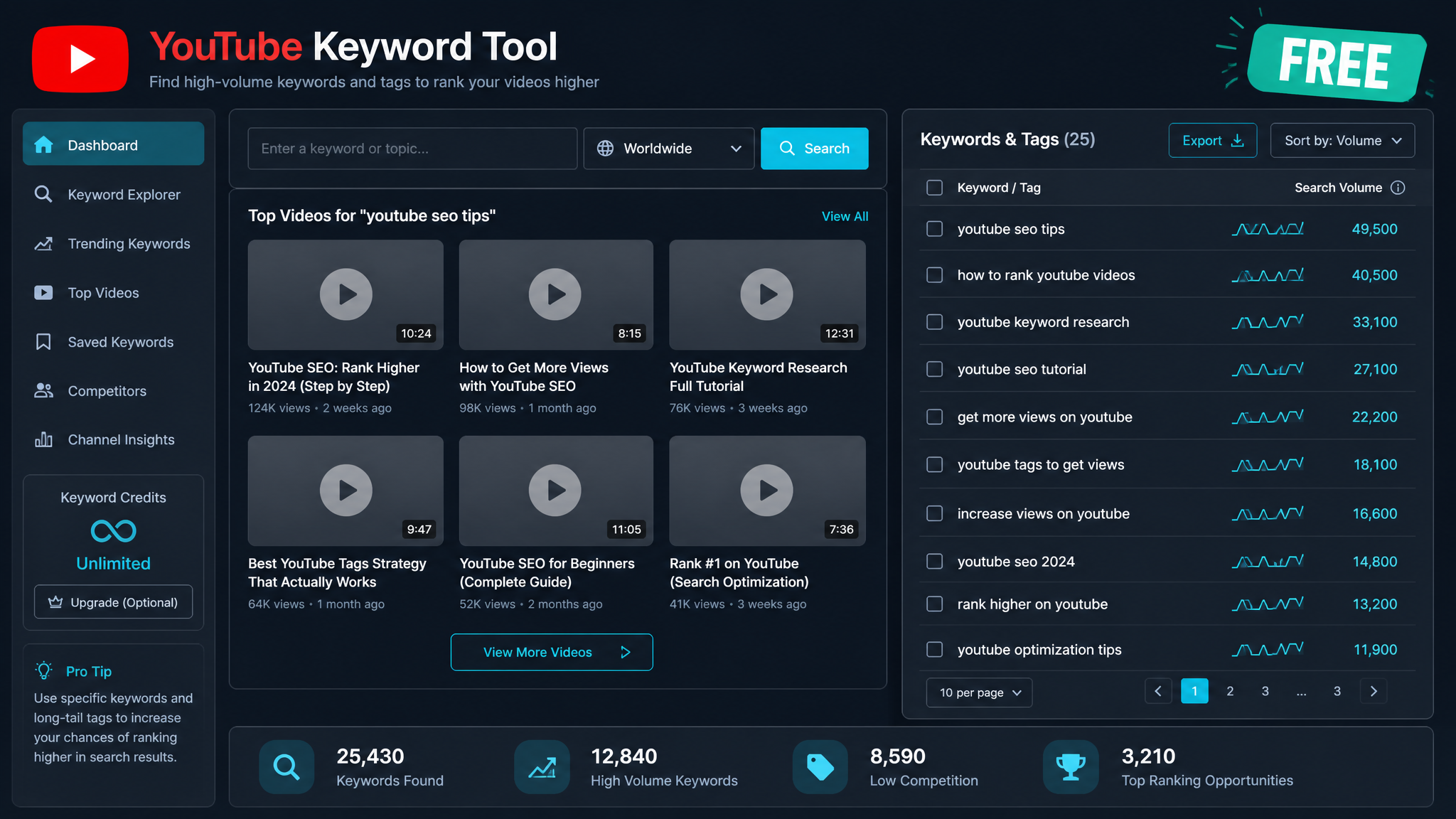
Free ebook: The Free SEO Stack
Keyword research without paying for Ahrefs — the complete guide. Read it online or download the PDF.
100% free · No spam · Unsubscribe any time
YouTube isn’t just cat videos and people falling off skateboards anymore. It’s a discovery engine—if you know how to feed it the right words. Want your videos to pop up in search instead of gathering dust in the digital attic? Then nailing YouTube keyword research (for free, mind you) is your secret sauce for 2026. Here’s your step-by-step, wallet-friendly guide to finding what your audience is actually hunting for—so you can make the stuff they’re desperate to watch.
Why YouTube Keyword Research Refuses to Die in 2026
Let’s cut to the chase: even with all YouTube’s algorithm wizardry, keywords still run the show behind the scenes. Think of keyword research as the Sat Nav for your video content—it tells YouTube (and your viewers) exactly where you’re headed. Whether it’s “how to fix a leaky tap” or “best running shoes 2026”, those phrases are the signposts that help your video get found. Ignore them, and you may as well be whispering into a hurricane.
What Makes YouTube Keyword Research Its Own Beast?
Here’s what most people miss: YouTube search isn’t just Google with a play button. People type in snappier, more direct phrases—often with little add-ons like “review”, “how to”, or “tutorial”. Plus, while YouTube is obsessed with watch time and engagement, it still leans on keywords to figure out what your masterpiece is actually about. It’s like a librarian who checks the cover AND peeks at the blurb.
The Step-by-Step: How to Do Free YouTube Keyword Research in 2026
You don’t need to remortgage your house for a fancy subscription. Here’s your DIY workflow:
1. Start with Some Good Old-Fashioned Brainstorming
2. Milk the YouTube Search Bar for All It’s Worth
3. Spy on the Competition (Legally)
4. Deploy a Free YouTube Keyword Tool
5. Cross-Check with Google Trends (But Don’t Get Distracted by the Graphs)
6. Build Out Your Keyword Hit List
Worked Example: Free YouTube Keyword Research in Action
Let’s say you’ve got a fitness channel and you’re itching to make something on “beginner home workouts”. Here’s how you’d do it:
| Keyword | Search Volume (Monthly) | Competition |
|---|---|---|
| beginner home workout | 45,000 | Low |
| beginner home workout no equipment | 27,000 | Medium |
| beginner home workout for weight loss | 19,000 | Low |
Measurement Example
Let’s say you’re filming a “20-minute beginner home workout”. Some viewers are in Manchester, some in Minnesota, and you want both to keep up:
Tips for Optimising Your YouTube Videos with Keywords
Rookie Mistakes to Sidestep
Questions People Are Actually Asking
How do I find YouTube keywords for free?
You’ve got options: use YouTube’s autocomplete for quick ideas, snoop top video titles and tags, and grab a freebie like the KeywordNumbers YouTube Keyword Tool for data on search volume and competition. No credit card required.
What is a good keyword tool for YouTube in 2026?
You can’t go wrong with the KeywordNumbers YouTube Keyword Tool. It’s bang up to date, gives you keyword ideas, search volumes, and a peek at competition—all for the glorious price of zero.
How accurate are free YouTube keyword tools?
Think of them as a speedometer on a slightly dodgy second-hand car: good for direction, not pinpoint precision. The numbers are best for comparing keywords and spotting trends, not for obsessing over the decimals.
Can I do YouTube SEO without paid tools?
Absolutely! Manual research (autocomplete, keyword tools, Google Trends) gives you a solid foundation. Especially if you’re new or allergic to monthly subscriptions.
How many keywords should I use per YouTube video?
Aim for one main keyword, then another 3-5 close cousins in your description and tags. Quality trumps quantity—no need to shoehorn in every variation under the sun.
Should I use both metric and imperial units in my YouTube videos?
If your video involves numbers (fitness, recipes, DIY), give both metric and imperial. Your global audience will thank you—and so will your watch time.
How do I check if a keyword is too competitive?
See how many videos are ranking, how big those channels are, and plug it into a tool like KeywordNumbers for a competition score. Lower-competition phrases are your friend—especially when you’re just starting out.
Wrapping Up: Your Free YouTube Keyword Research Playbook for 2026
Free YouTube keyword research isn’t just doable in 2026—it’s a doddle. Mix a bit of old-school sleuthing with a tool like KeywordNumbers’ YouTube Keyword Tool, and you’ll dig up the keywords that get your videos seen. Want to give your channel a proper shot in the arm? Try the free tool, build your hit list, and start making the videos people are actively searching for.
Free tools to put this into practice
Reading is one thing — testing your own pages is what moves the needle. Here are the free KeywordNumbers tools that pair best with this guide:
Every one of our free SEO tools is genuinely free to use, with no sign-up required.
Try the YouTube Embed Code Generator
Good news — there's now a free tool for exactly this. Give our YouTube Embed Code Generator a go and put this guide straight into practice.
Free ebook: The Free SEO Stack
Keyword research without paying for Ahrefs — the complete guide. Read it online or download the PDF.
- Which free tools replace Ahrefs, SEMrush & Moz
- Step-by-step keyword research workflow
- How to find content gaps without paying a penny
- The exact stack KeywordNumbers is built on
100% free · No spam · Unsubscribe any time
Ready to research your keywords?
Try our free keyword tools — no signup required.