Free tools to boost your SEO strategy
Keyword Universe
Visualise every question, preposition and comparison people search around your topic — pulled live from real search suggestions, grouped and mapped onto an interactive wheel, each with an estimated monthly search volume.
Free ebook: The Free SEO Stack
Keyword research without paying for Ahrefs — the complete guide. Read it online or download the PDF.
100% free · No spam · Unsubscribe any time
Search suggestion mapping, in brief
A suggestion map takes one seed keyword and fans it out into every question, comparison and variation real people search — an instant content roadmap.
Suggestions are gathered in real time from search-engine autocomplete, so you see phrases people genuinely type — not invented keywords.
Questions (who, what, how), prepositions (for, with, near), comparisons (vs, or, versus) and A–Z alphabetical expansions.
Every suggestion carries an estimated monthly search volume. Use them to prioritise ideas, not as exact figures — no public API gives exact volumes.
Keyword Universe is a free alternative to AnswerThePublic, with the same wheel-and-list format plus search volumes.
What is the Keyword Universe – Visual Search Suggestion Wheel?
Keyword Universe is a free visual keyword tool, similar to Answer The Public, that maps out what people actually search around any topic. Enter a seed keyword and it gathers real, live search suggestions and organises them into questions, prepositions, comparisons and A–Z variations — shown both as an interactive wheel and as a grouped list, each suggestion with an estimated monthly search volume so you can spot the ideas worth pursuing.
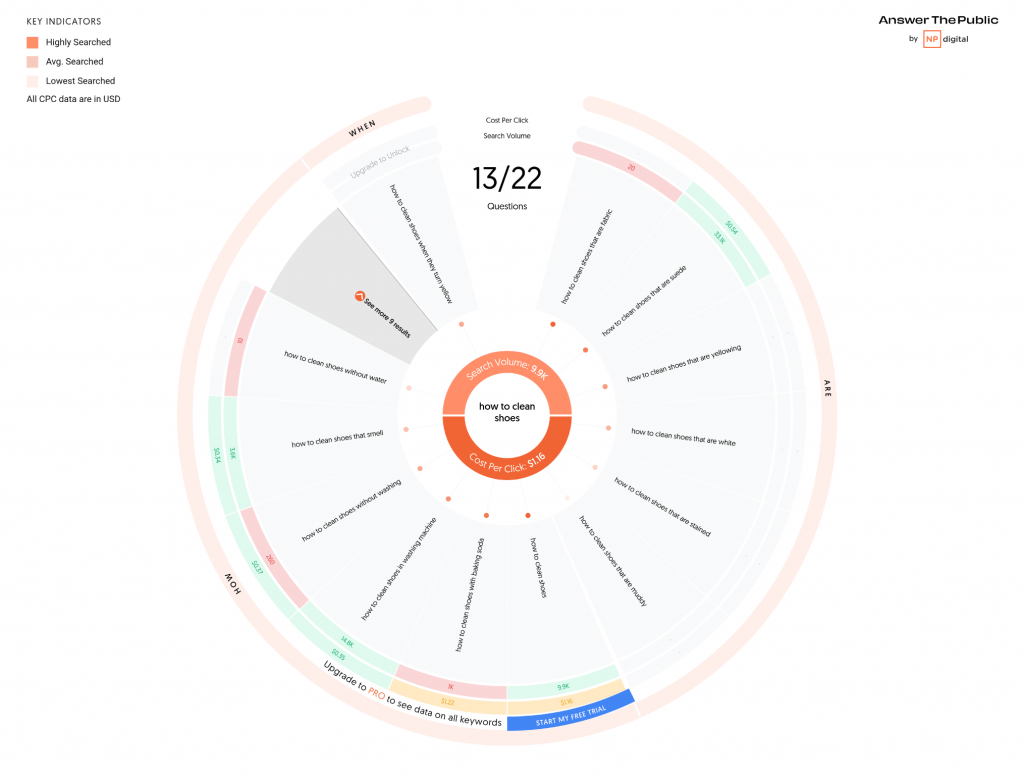
Example: mapping the keyword universe around “protein powder”
Enter “protein powder” as your seed keyword. The wheel expands outward showing first-level branches (whey, vegan, casein, mass gainer) and second-level sub-branches (best vegan protein powder UK, whey protein side effects, casein before bed). In 10 seconds you’ve mapped 60+ content ideas visually.
Central node of the wheel
First-level suggestion groups
Across two expansion levels
Key Features
Interactive Suggestion Wheel
See your topic at the centre of a colour-coded wheel with question, preposition, comparison and alphabetical suggestions radiating outwards — an instant birds-eye view of the whole search landscape.
Grouped List View
Prefer a straightforward list? Switch to the grouped view to read every suggestion by category, sorted by estimated volume, ready to copy or export.
Estimated Search Volumes
Every suggestion carries an estimated monthly search volume so you can prioritise the questions and phrases with genuine demand rather than guessing.
Real Search Suggestions
Results are pulled live from real search-engine autocomplete, so you are seeing phrases people genuinely type — not invented keywords.
How to Use This Tool
Enter a topic
Type any keyword or subject — for example, “compost” or “electric cars” — and press Search.
Explore the wheel
Watch your topic fan out into questions, prepositions, comparisons and alphabetical variations. Hover any point to see its estimated monthly volume.
Switch to the list
Toggle to the grouped list to read every suggestion by category, sorted by estimated demand.
Export or print
Insiders (and one-off buyers) can print the full map or export every suggestion and volume to CSV for content planning.
Why This Matters for SEO
Understanding the exact questions and phrases people search around a topic is the foundation of content that ranks. Instead of guessing at subheadings and FAQs, a suggestion map shows you the real language of your audience — the questions they ask, the comparisons they weigh up and the modifiers they add. Building content around these genuine queries helps you match search intent, win featured snippets and People Also Ask placements, and cover a topic more thoroughly than competitors who are still guessing.
Frequently Asked Questions
Related Tools
Each of these does a distinct job — use them together for a complete check.