Free tools to boost your SEO strategy
UTM Campaign URL Builder
Build tagged campaign links so you can track exactly which source, medium, and campaign sent your traffic in Google Analytics. Fill in the fields and copy your ready-made URL.
The full page you want to link to.
Where the traffic comes from.
The marketing channel.
Your campaign or promotion name.
Optional — paid keyword.
Optional — to tell similar links apart.
Your campaign URL
Free UTM Builder & Campaign URL Tracker
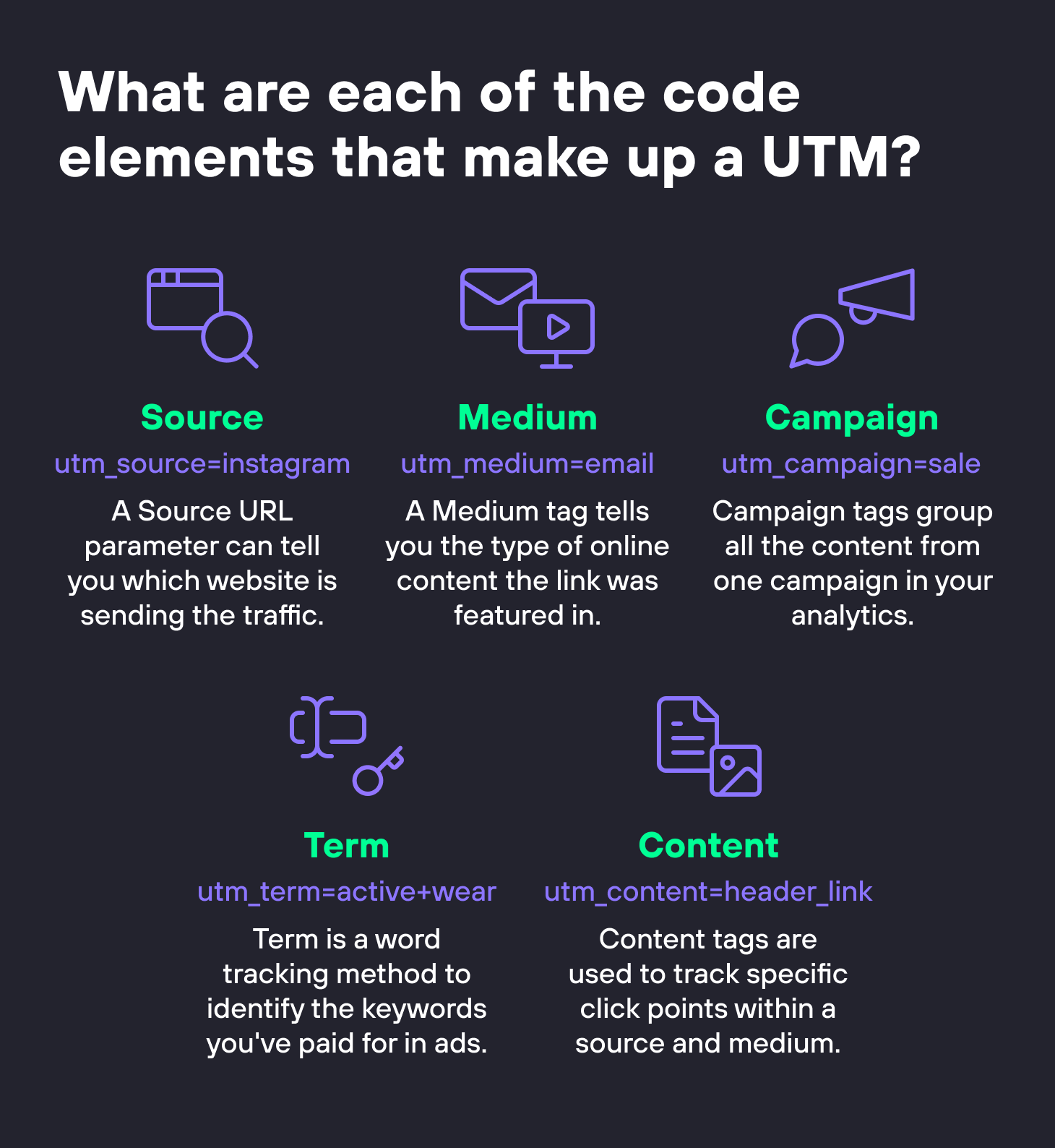
UTM parameters are short tags added to a link so analytics tools can tell you where each visitor came from. Source, medium, and campaign are the three you should always set. Keep values lowercase and consistent — this builder tidies spacing and case for you — and only add UTM tags to links pointing to your site from outside, never to internal links.
Free ebook: The Free SEO Stack
Keyword research without paying for Ahrefs — the complete guide. Read it online or download the PDF.
100% free · No spam · Unsubscribe any time
What is the UTM Campaign URL Builder?
The UTM builder creates tagged campaign links so your analytics can show exactly where each visitor came from. Fill in your website URL, source, medium, and campaign name, and the tool builds a ready-to-share tracking URL. It tidies spacing and capitalisation for you, so your campaign reports stay clean and consistent in Google Analytics and other tools.
Example: tagging a spring newsletter link for Google Analytics
You’re sending a spring-sale newsletter and need to track clicks in GA4. Enter the landing page URL, set source to “newsletter”, medium to “email”, and campaign to “spring-sale-2025”. The builder outputs a perfectly formatted URL. In GA4 you can filter by that campaign name to see exactly how many conversions the email drove.
source, medium, campaign
Clean and readable in analytics
Every click attributed correctly
Key Features
All Five UTM Parameters
Set utm_source, utm_medium, and utm_campaign, plus the optional utm_term and utm_content, from one simple form.
Automatic Tidy-Up
Values are lowercased and spaces are converted to underscores, which keeps your campaign data consistent and easy to group.
Copy-Ready Link
Your tracking URL builds as you type and can be copied to the clipboard with one click.
Safe And Private
The builder runs in your browser and validates your URL, so you always get a properly formed link and nothing is stored.
How to Use This Tool
Enter your website URL
Paste the full address of the page you are linking to, including the https:// at the start.
Add your campaign tags
Fill in the source, medium, and campaign name at minimum. Add the optional term and content fields if you need to tell similar links apart.
Copy your tracking link
Copy the generated URL and use it in your emails, ads, social posts, or anywhere you want to measure the traffic it brings.
Why This Matters for SEO
Without campaign tags, most of your marketing traffic gets lumped together and you cannot tell which email, ad, or post actually worked. UTM parameters attach that information to the link itself, so your analytics can report traffic and conversions by source, medium, and campaign. Consistent, correctly formatted tags are the difference between reports you can trust and a jumble of mismatched campaign names.
Frequently Asked Questions
Related Tools
Each of these does a distinct job — use them together for a complete check.